 English
 Best Panic Alarm System for Homes & Offices Kenya 2026
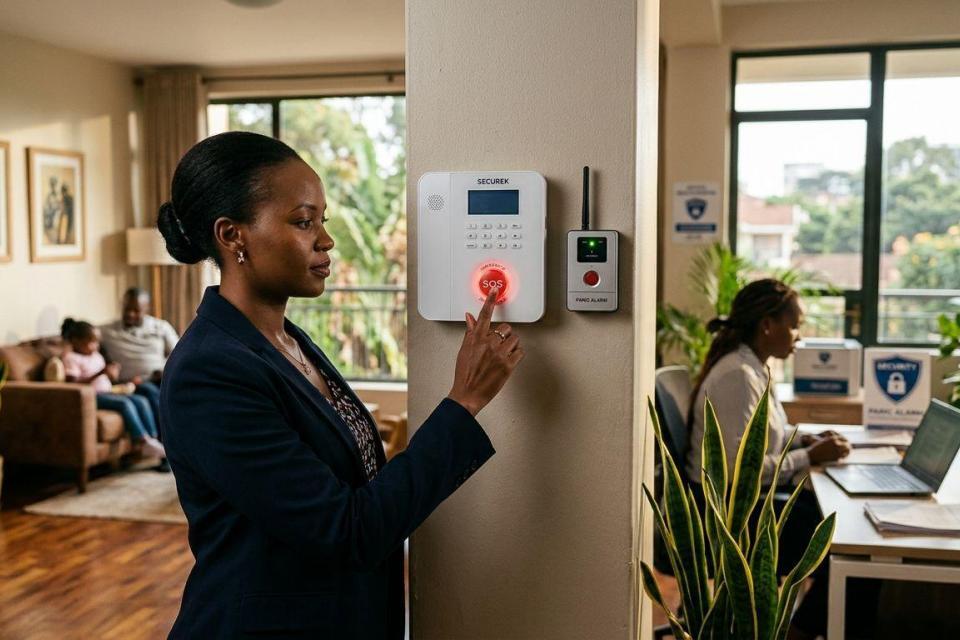
A panic alarm system triggers an immediate alert during a robbery, medical emergency, or intrusion, and the type you choose in Kenya in 2026 depends on whether you need a home safeguard, an office response protocol, or coverage across several sites.
- Monitored panic alarm systems are the best panic alarm system overall for businesses that need a fast, verified response in Kenya.
- GSM/SMS panic alarms work without WiFi, making them the practical pick for homes in areas with unreliable internet.
- Access-control integrated panic alarms suit offices that already run biometric door systems.
- Wireless panic buttons cover elderly residents and lone workers who need a single-press trigger.
- App-based panic alerts fit multi-site businesses managing several branches from one dashboard.
Why this matters
A break-in or a medical emergency does not wait for you to dial a number and explain your location. A panic alarm collapses that response time to a single button press or a triggered sensor, and pairing it with the right connectivity type matters more in Kenya than the alarm brand itself.
Most buyers get this wrong by picking a panic alarm the same way they'd pick a smoke detector: by price alone. The better question is what happens after the alarm fires — does it call a guard, alert a family member's phone, or trigger a siren with no follow-through? Home security system costs in Kenya generally rise as you add monitoring and integration, so match the system to what you're actually protecting before you compare features.
Best overall: monitored panic alarm systems. Best for offices: access-control integrated panic alarms. Best simple option: GSM/SMS panic alarms.
What makes the best panic alarm system
- Response path — does the trigger reach a monitoring centre, a phone number, or just a local siren?
- Connectivity — GSM/SMS, WiFi, or hardwired to an existing alarm panel.
- Power resilience — battery backup that survives Kenya's routine power interruptions.
- Integration — compatibility with CCTV, access control, and existing fire/intruder alarm panels.
- Ease of trigger — a wearable button, a fixed wall unit, or an app screen.
- Installation complexity — plug-and-play versus a professional wiring job.
Panic alarm systems at a glance
| System type | Best for | Standout feature | Key limitation |
|---|---|---|---|
| Monitored panic alarm systems | Businesses needing rapid response | Alerts route to a monitoring team, not just a phone | Requires an active monitoring subscription |
| GSM/SMS panic alarms | Homes without reliable WiFi | Works over the mobile network, no internet needed | SMS delivery depends on network coverage |
| Wireless panic buttons | Elderly residents and lone workers | Single-press trigger, wearable or fixed | Limited range from the base unit |
| Access-control integrated panic alarms | Offices with biometric door systems | Panic trigger shares the same control panel as access control | Needs an existing access control installation |
| App-based panic alert systems | Multi-site businesses | One dashboard covers several branches | Depends on staff having the app open or notifications on |
1. Monitored panic alarm systems: best panic alarm system for businesses needing rapid response
A monitored panic alarm routes a triggered signal to a monitoring team rather than just sounding a local siren. The team verifies the alert and dispatches a response, which is the difference between a panic alarm that scares off an intruder and one that gets someone moving toward the building.
Monitored panic alarm systems pros:
- Verified response instead of a siren nobody reacts to
- Works well alongside existing fire alarm control panels already installed in a building
- Suited to offices, retail premises, and gated compounds with a guard on standby
Monitored panic alarm systems cons:
- Needs an ongoing monitoring arrangement, not a one-time purchase
- Overkill for a small apartment with no on-site guard to dispatch
Best for: businesses and compounds that already run a guarded or monitored security setup.
Verdict: Buy if a response team already covers your premises.
2. GSM/SMS panic alarms: best panic alarm system for homes without WiFi
A GSM panic alarm sends an SMS or a call to a pre-set number when triggered, using the mobile network instead of home WiFi. That makes it dependable in Kenyan neighbourhoods where power cuts also take the router down.
GSM/SMS panic alarms pros:
- Works during a power outage if the unit has battery backup
- No dependency on home internet or a router staying online
- Simple to set up for a single-family home
GSM/SMS panic alarms cons:
- Alert speed depends on mobile network coverage in your area
- Reaches a phone, not a dispatch team, unless linked to one
Best for: homeowners who want a direct alert to family or neighbours without a monitoring contract.
Verdict: Buy for households prioritising simplicity over a monitored response.
3. Wireless panic buttons: best panic alarm system for elderly residents and lone workers
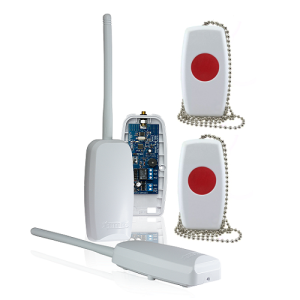
A wireless panic button is a small wearable or fixed unit that triggers an alarm with one press, without needing anyone to reach a keypad or a phone. It's the fastest physical trigger of any option on this list.
Wireless panic buttons pros:
- Fastest trigger action — one press, no menu or code
- Wearable options suit elderly residents who can't reach a wall panel quickly
- Useful for staff working alone in a shop or office after hours
Wireless panic buttons cons:
- Signal range from the button to the base unit is limited to the property
- Needs a base station already wired into a wider alarm setup to be useful beyond a local siren
Best for: elderly residents, lone night-shift staff, and anyone needing the fastest possible trigger.
Verdict: Buy as a companion device alongside a monitored or GSM system, not as a standalone.
4. Access-control integrated panic alarms: best panic alarm system for offices with existing biometric access control
Offices that already run biometric door locks or access control systems can add a panic trigger to the same control panel instead of installing a separate alarm box. Reception staff get a hidden button wired into the door system they already use daily.
Access-control integrated panic alarms pros:
- Shares wiring and a control panel with the existing access system
- Discreet trigger points at reception desks or entry points
- Reduces the number of separate systems staff need to learn
Access-control integrated panic alarms cons:
- Only makes sense if an access control system is already installed or being installed alongside it
- Adds setup complexity compared to a standalone panic button
Best for: offices with biometric or card-based access control already in place.
Verdict: Buy if you're installing or upgrading access control anyway.
5. App-based panic alert systems: best panic alarm system for multi-site businesses
An app-based panic alert pushes a notification to a phone or a security dashboard the moment a trigger fires, which matters for a business running several branches from one office. Managers see which site raised the alarm without waiting for a phone call.
App-based panic alert systems pros:
- One dashboard covers multiple branches or sites
- Alerts arrive as push notifications, not just SMS
- Useful for businesses that already manage CCTV cameras remotely
App-based panic alert systems cons:
- Depends on staff having the app installed and notifications turned on
- Data connectivity issues at a branch can delay the alert
Best for: multi-branch retailers, franchises, and businesses managing several locations centrally.
Verdict: Hold unless you're already managing more than one site remotely.
Get help choosing your system
Browse Patsec Security Store’s full alarm and security equipment range.
How we ranked
Each system was weighed against the six criteria above — response path, connectivity, power resilience, integration, trigger ease, and installation complexity. Monitored systems rank highest because a verified response beats a local siren in 2026's urban Kenyan setting; the rest are ranked by which specific use case they solve best, not by which is universally superior.
Which panic alarm system should you choose?
If you run a business with an existing guard or monitoring arrangement, monitored panic alarm systems win — they turn a trigger into an actual response, not just noise. Homeowners without reliable WiFi should default to a GSM/SMS panic alarm, and offices already running biometric access control get the most value from an integrated panic trigger on the same panel. When in doubt in 2026, pair a wireless panic button with whichever base system you choose — it costs little in setup and closes the gap between an emergency and a working trigger.
FAQ
What’s the best panic alarm system for a home in Kenya in 2026?
A GSM/SMS panic alarm is the best panic alarm system for most Kenyan homes in 2026 because it works over the mobile network during power and internet outages. Homes with an active guard or monitoring service get more value from a monitored panic alarm instead.
Is a monitored panic alarm better than a wireless panic button?
A monitored panic alarm routes the alert to a response team, while a wireless panic button only triggers a local alarm unless it’s wired into a monitored base system. The two work best together, not as substitutes.
How does a GSM panic alarm work without WiFi?
A GSM panic alarm uses the mobile network to send an SMS or place a call when triggered, so it doesn’t need a router or home internet connection. It does depend on mobile network coverage at the property.
Can a panic alarm be integrated with CCTV and access control?
Yes, panic triggers can share a control panel with existing access control or feed into a system that also manages CCTV. Offices already running biometric access control get the most straightforward integration.
What happens when a panic button is triggered in an office?
Depending on the system, the trigger either sounds a local alarm, sends an SMS/call to a set number, or alerts a monitoring team who dispatch a response. Monitored systems are built specifically to route the trigger to a verified response.
Do panic alarm systems need a battery backup for power outages in Kenya?
Yes, battery backup keeps a panic alarm functional during Kenya’s routine power interruptions, and it matters most for GSM and monitored systems that rely on constant connectivity. A unit without backup goes silent exactly when it’s most needed.
Is a panic alarm system worth it for a small business in Nairobi?
A panic alarm is worth it for a small business handling cash, valuables, or working late hours, particularly when paired with existing access control or CCTV. The value comes from the response path, not the trigger itself.
How do multi-site businesses use app-based panic alerts?
Multi-site businesses run app-based panic alerts through one dashboard so a manager sees which branch triggered an alert without waiting for a phone call. This suits franchises and retailers managing several locations centrally in 2026.
One last thing
The panic alarm itself is rarely the weak point — the response path is. A system that only sounds a siren with nobody nearby to hear it does less for you in 2026 than a basic GSM alarm wired to a family member's phone.
Related guides
- Best fingerprint door locks for offices in Kenya
- Best automatic gate motors for homes in Kenya
- Best solar powered electric fence energizers in Kenya
- Best biometric time attendance systems in Kenya