 English
 Best Fingerprint Door Lock for Office Kenya 2026
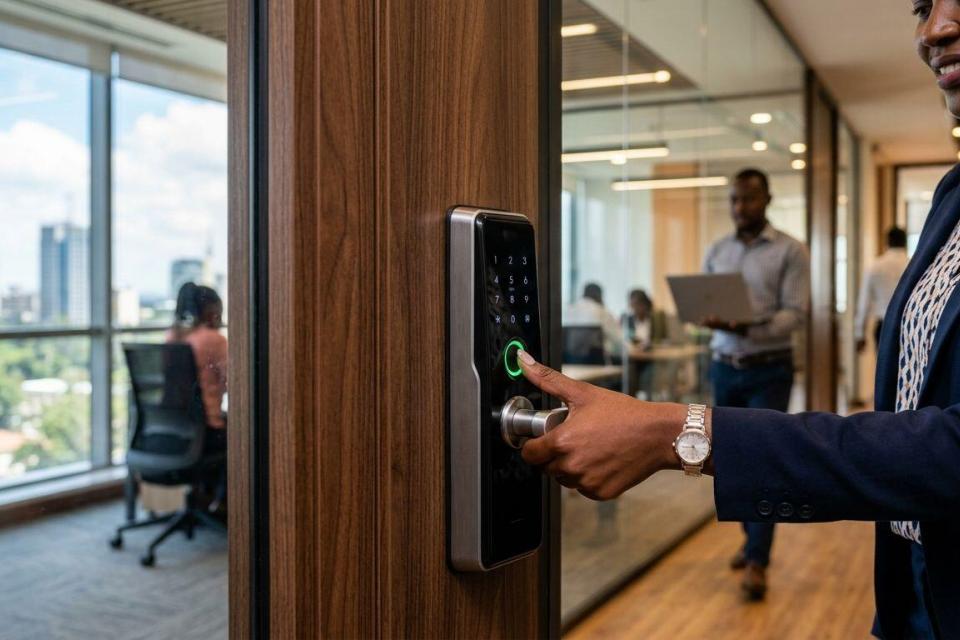
Office doors need more than a keypad and a spare set of keys. Fingerprint door locks solve buddy-punching, lost keys and unauthorised after-hours access in one device, but the right pick depends on how many staff use the door and how many doors need control.
- The best fingerprint door lock for office use in 2026 depends on staff count and door count, not brand alone.
- Standalone fingerprint locks suit single-door offices under 10 staff; multi-door buildings need networked access control.
- Multi-factor locks (fingerprint plus PIN or card) are the safer default for shared office doors in Kenya.
- ZKteco biometric access control is a common fit for offices that already run CCTV or attendance systems.
- Patsec Security Store in Nairobi supplies and installs fingerprint locks matched to door type and staff numbers.
Why this matters
A fingerprint door lock is only as good as its fit for the door it's on. An office with 6 staff and one entrance doesn't need the same system as a three-storey building with 40 employees and five doors. Getting this wrong means either overpaying for capacity you don't use, or buying a standalone lock that chokes the moment a second door needs control.
The Patsec Security Store catalog in Nairobi covers access control and biometric devices for exactly this range, from single-door offices to multi-branch setups. What follows is a use-case breakdown, not a brand ranking, because the correct answer changes with the building.
What makes the best fingerprint door lock for an office
- Backup access method — PIN, RFID card or mechanical key override for when a fingerprint won't read
- User capacity — enough templates for current staff plus room to add new hires without replacing the unit
- Door and frame compatibility — glass, timber, metal, or fire-rated doors all need different lock bodies
- Power resilience — battery backup or a mains failure mode that doesn't lock staff out
- Network capability — whether the lock can join a central access control system as the office grows
- Audit trail — logs of who entered and when, useful for offices with more than one shift
At a glance
| Lock type | Best for | Standout feature | Key limitation |
|---|---|---|---|
| Standalone fingerprint lock | Single-door office, under 10 staff | Simple setup, no server needed | No central control if a second door is added later |
| Fingerprint + card + PIN lock | Shared doors needing a backup method | Three ways in if a finger won't scan | Slightly more setup for staff to learn |
| Networked biometric access control (e.g. ZKteco) | Multi-door office, 10+ staff | One system manages every door from one point | Needs cabling or Wi-Fi and basic IT setup |
| Time attendance + access control terminal | Offices tracking clock-in and door access together | One device does both jobs | Overkill for a single door with few staff |
| Fire-rated biometric lock | Server rooms, compliance-sensitive doors | Built for fire-rated door assemblies | Narrower product choice, install-specific |
1. Standalone fingerprint lock: best for a single-door small office
A standalone fingerprint lock mounts on one door and runs on its own memory, with no server or app required. It fits reception doors, single offices and small shops where one entrance covers the whole business.
Standalone fingerprint lock pros:
- Fastest to install, usually a same-day job
- No IT setup or network dependency
- Lower running complexity for a small team
Standalone fingerprint lock cons:
- No central management if a second door needs control
- Managing staff additions and removals is manual, one device at a time
Best for: offices under 10 staff with a single controlled entrance.
Verdict: Buy if the office has one door and no near-term plan to expand.
2. Fingerprint + card + PIN lock: best for shared doors needing a backup method
This type reads a fingerprint first but falls back to an RFID card or PIN code, which matters when a finger is wet, dusty or simply won't register. Shared office doors with rotating staff benefit most from the redundancy.
Fingerprint + card + PIN pros:
- Three valid entry methods reduce lockouts
- Card option works for visitors or contractors without enrolling a fingerprint
- Good middle ground between security and convenience
Fingerprint + card + PIN cons:
- More steps for staff to learn during setup
- Card issuance adds a small admin task
Best for: offices where fingerprint-only access has caused lockouts before.
Verdict: Buy for any door shared by more than a handful of people.
3. Networked biometric access control: best for multi-door offices
A networked system, such as ZKteco-based access control, links every door lock to one management point. Instead of updating five standalone units when someone leaves the company, one admin change removes access everywhere at once.
Networked biometric access control pros:
- Single point of control across every office door
- Centralised logs show entry activity building-wide
- Scales as the office adds floors or branches
Networked biometric access control cons:
- Requires cabling or a stable Wi-Fi link between doors
- Setup takes longer and usually needs a technician on site
Best for: offices with 10 or more staff and more than one controlled door.
Verdict: Buy once a second or third door needs the same rules as the first.
Get the right lock for your office door
Speak to Patsec Security Store about door type, staff count and door number before you buy.
4. Time attendance + access control terminal: best for tracking clock-in and door entry together
Some biometric terminals combine time and attendance recording with door access control in one unit. An 8-hour shift office that wants clock-in records without a separate attendance system gets both functions from a single fingerprint scan at the door.
Time attendance + access control pros:
- One device replaces two separate systems
- Attendance data and door logs sit in the same record
- Useful for payroll teams that need shift verification
Time attendance + access control cons:
- Adds complexity if the office only needs door control
- Best suited to offices already running shift patterns
Best for: offices that need clock-in records alongside door security.
Verdict: Hold unless attendance tracking is already a requirement — otherwise it's more device than the door needs.
5. Fire-rated biometric lock: best for server rooms and compliance-sensitive doors
Fire-rated biometric locks are built to work on fire-rated door assemblies, the kind used on server rooms, plant rooms or compliance-audited storage. They're a narrower product category than general office locks and the install is specific to the door frame.
Fire-rated biometric lock pros:
- Matches fire code requirements for rated doors
- Fingerprint access on a door that also needs fire compliance
- Suits rooms with restricted, audited access
Fire-rated biometric lock cons:
- Fewer product options than standard office locks
- Installation needs to match the exact door and frame rating
Best for: server rooms, plant rooms and any door under a compliance requirement.
Verdict: Buy only for the specific door that carries the fire rating — not a general office entrance.
“If the door is shared by more than one person, a fingerprint-only lock isn’t enough on its own — pair it with a PIN or card as backup.”
How this list was ranked
Each lock type was matched against the six criteria above — backup access, capacity, door compatibility, power resilience, network capability and audit trail — then slotted to the office scenario it fits best. No single lock wins every scenario, which is why the list reads as five separate decisions rather than one leaderboard.
Which fingerprint door lock should you choose?
For most Kenyan offices in 2026, the decision comes down to two questions: how many doors, and how many staff. A single-door office under 10 staff should default to a standalone fingerprint lock. A shared door with rotating staff or visitors should add a PIN or card backup. Anything past one door, or past 10 staff, moves to networked biometric access control so one admin panel handles every entrance. Time attendance combo terminals and fire-rated locks stay reserved for their specific use cases rather than general office entrances.
FAQ
What is the best fingerprint door lock for a small office in Kenya?
A standalone fingerprint lock is the best fit for a small office with one door and under 10 staff in 2026. It needs no server or network setup and installs in a day.
Is a networked biometric access control system better than a standalone lock?
Networked access control is better once an office has more than one controlled door or more than 10 staff. A standalone lock is simpler and cheaper to run for a single door.
Can fingerprint door locks work during a power outage in Kenya?
Most fingerprint door locks include a battery backup that keeps the lock working through short power outages. Confirm the backup runtime with the supplier before installing on a door with no other exit route.
Do office fingerprint locks need a PIN or card backup?
Shared office doors benefit from a PIN or card backup because fingerprints can fail to scan due to moisture, dust or minor injuries. A single-user door with one authorised person can run on fingerprint alone.
Can one biometric system handle multiple office doors?
Yes, networked biometric access control links multiple doors to a single management point, so one admin change updates access across every door. Standalone locks require managing each door separately.
Are ZKteco biometric locks reliable for office use in Kenya?
ZKteco is a widely supplied access control brand in the Kenyan security market, used for both standalone and networked office installations. Reliability depends on correct installation and matching the model to the door type.
What happens if a fingerprint doesn’t register at the office door?
A lock with a PIN or card backup lets the person enter through the secondary method without delay. Fingerprint-only locks with no backup can lock a person out until the print reads correctly.
Do fingerprint door locks replace the need for CCTV at the office entrance?
No, a fingerprint lock controls who can open the door but doesn’t record video of the entrance. Offices that need both typically pair the lock with a CCTV camera covering the same door.
One last thing
The most common mistake in 2026 office installs isn't picking the wrong lock — it's picking a standalone unit for a building that adds a second door within the year. If there's any chance of expansion, ask about networked biometric access control upfront rather than replacing a standalone lock later.