 English
 Can Access Control Systems Work Without Internet?
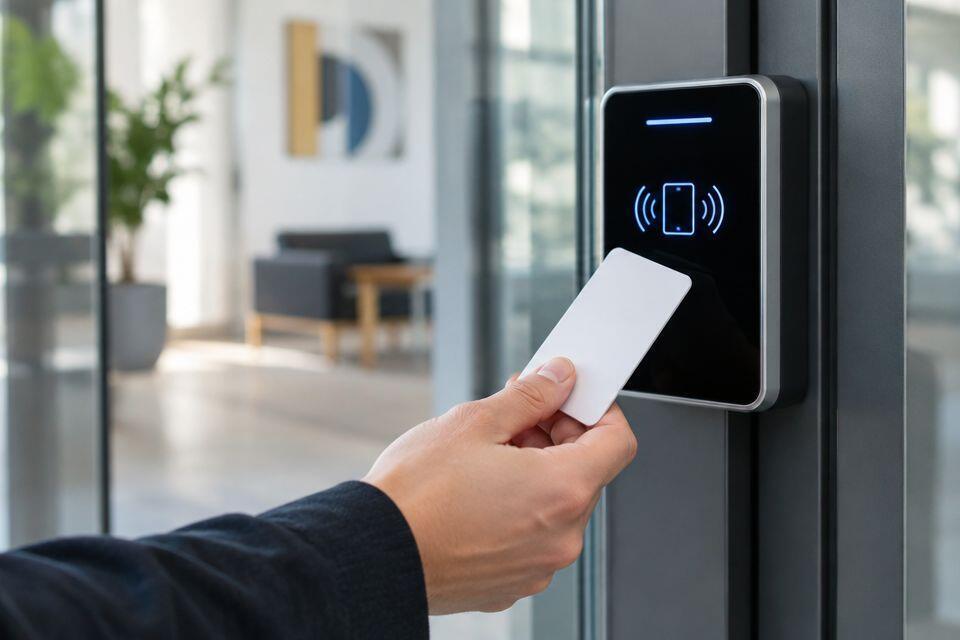
Yes, an access control system without internet can unlock doors using locally stored cards, PINs or fingerprint records, provided its controller supports offline operation. Internet loss can still stop remote unlocking, cloud updates and online alerts. The controller, reader and lock also need a suitable power supply: losing internet is not the same as losing electricity.
- An access control system without internet works when the controller stores credentials and makes access decisions locally.
- Standalone access control suits local door entry; remote management needs a separate connectivity plan.
- Patsecuritysolutions supplies access control equipment for homeowners and businesses seeking security installations.
- Test internet loss, local network loss and power loss separately before accepting the installation.
Can access control systems work without internet?
Yes. The deciding factor is where the system checks access permissions, not whether the reader has a network connection. A local controller can compare a presented credential against its stored permissions and operate the door without contacting an online service.
A reader connected by Ethernet or Wi-Fi is not automatically internet-dependent. Those connections can carry information within your building. Conversely, a device with a keypad is not automatically independent: its actual operating method needs confirmation.
For a 2026 purchase, ask for the exact model's offline operating instructions. General statements about a product category do not establish what a particular device does.
Patsecuritysolutions supplies security equipment and installation for homeowners and businesses. Select the access control equipment by its documented offline behaviour, rather than its appearance or app features.
| System arrangement | Best for | What can work without internet | Main limitation |
|---|---|---|---|
| Standalone access controller | A door managed on site | Local credential checking and unlocking, when supported | Administration usually requires access to the device or its local tools |
| Networked controller with local decisions | Several doors with central administration | Stored permissions can remain active at the controllers | Management depends on the required local network and server connections |
| Cloud-managed controller with documented offline operation | Remote administration with local door continuity | Previously synchronised permissions, within the model's documented limits | New permissions and remote commands need connectivity |
| Online-only access arrangement | Sites that accept an online dependency | Only functions explicitly documented as offline-capable | Entry functions dependent on an online service stop when that service is unreachable |
These are system arrangements, not verified specifications for particular products. Choose a controller with documented local access decisions if continued entry during internet loss is a requirement.
Why this matters
A door can continue admitting authorised users while its management dashboard is unavailable. That is useful continuity, but it does not mean every security function remains active. Your building needs a defined response for entry, exit, administration and records.
The opposite mistake is treating every outage as an internet problem. A powered controller cannot operate normally if its required local connection fails, and an internet-independent reader cannot compensate for a lock that has lost power.
Your 2026 equipment brief should separate those dependencies. Otherwise, a demonstration of normal door opening tells you little about what happens during an outage.
Standalone access control: best for on-site administration
A standalone controller is a suitable arrangement when you want local entry without routine online management. Depending on the model, credentials and settings are stored and managed at the door device or through a local administration method.
Its strength is a smaller set of connectivity dependencies. Its limitation is administration: changing users across several independent devices can involve repeated work. Confirm the enrolment, deletion and backup methods before buying.
Choose standalone access control for a locally managed door only after confirming how you remove a lost credential. Internet independence is not enough if the administrator cannot promptly change permissions.
Local network access control: best for coordinated door management
A local network system connects controllers to management equipment within the premises. Internet access and the local network are separate dependencies. A working internal network does not require a working connection to an external service.
Where controllers store permissions and make decisions locally, normal entry can continue during internet loss. However, functions that require a local server or communication between devices still depend on those components.
Ask which tasks happen at the controller and which happen elsewhere. Choose local network access control when you need coordinated administration, but verify controller behaviour during both internet and server disconnection.
Cloud-managed access control: best for remote administration
Cloud management allows administration through an online service. Offline-capable controllers can retain previously synchronised information, but the exact permission rules, credential types and limits are model-specific.
Remote convenience is the advantage. The limitation is that a disconnected controller cannot receive an online change until communication returns. A removed user might retain the permissions previously stored at that controller until the relevant update reaches it.
Choose cloud management with documented local continuity, not an assumption that the app guarantees offline entry. Check credential revocation, temporary access and reconnection behaviour in the manufacturer's documentation.
Why offline access control behaviour varies
The phrase offline access control covers different arrangements. These factors determine what remains usable:
- Decision location: Establish whether the door controller checks permissions locally or requests a decision elsewhere.
- Credential storage: Confirm which card, PIN or biometric records remain available at the device.
- Communication path: Separate internet access from the local network, reader connection and server connection.
- Permission updates: Find out how disconnected controllers handle additions, removals and scheduled changes.
- Event storage: Confirm whether the controller retains entry records and how you retrieve them after reconnection.
- Power and release: Identify the power requirements of the controller and lock, plus the approved emergency exit arrangement.
No single feature answers all these questions. A statement that cards work offline does not establish that mobile credentials, visitor access or remote unlocking also work.
How do you choose an access control system without internet?
Start with the door and your management routine. Your choice should meet the entry requirement without creating an administration problem you cannot manage.
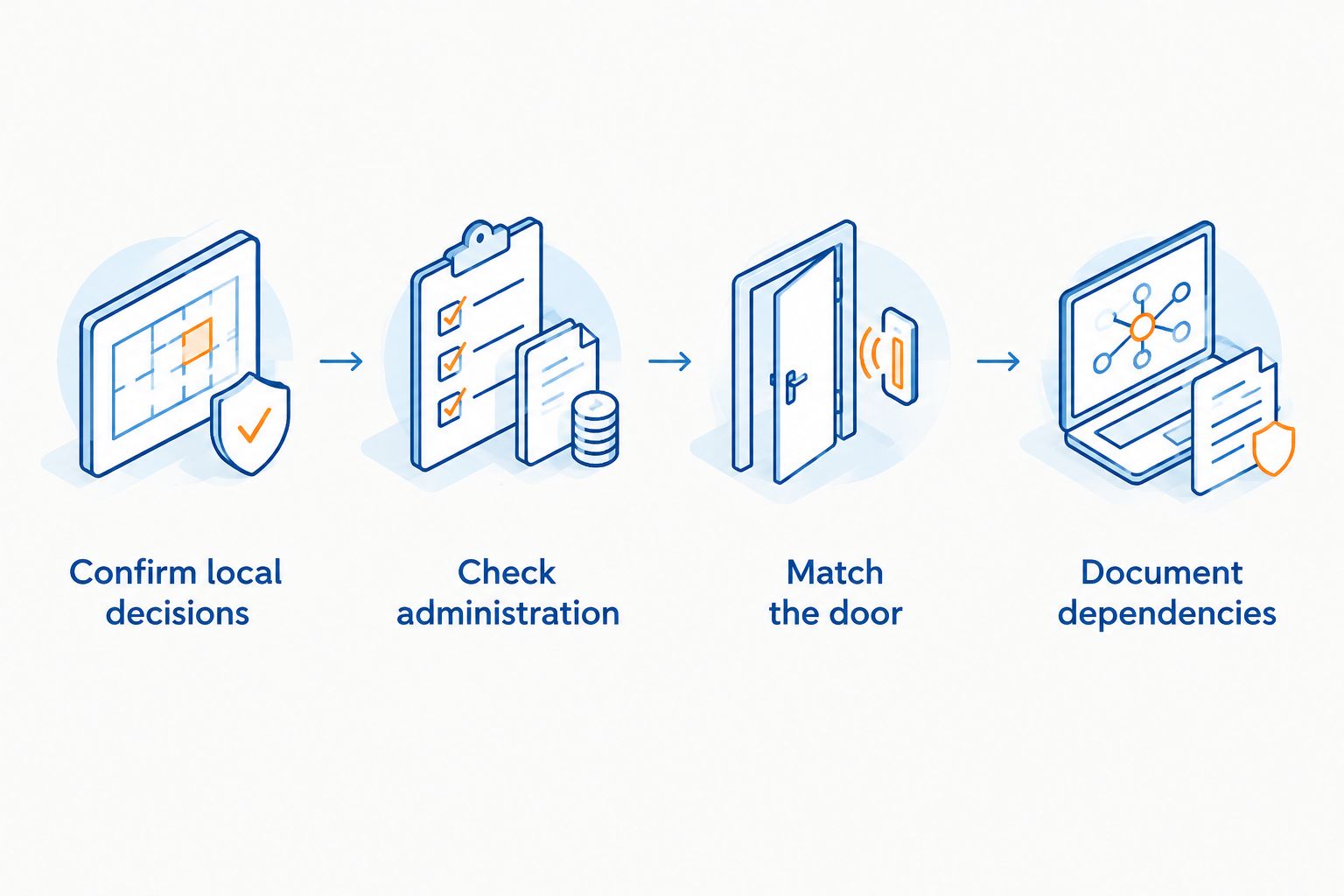
Confirm local decisions
Ask whether an authorised credential opens the door with the internet disconnected. Specify the credential type you intend to use. A demonstration using a card does not establish how fingerprint entry or mobile access behaves.
Check administration
Find out how you enrol users, remove credentials and change permissions. Identify the administrator who will perform those tasks when online management is unavailable. Do not depend on an installation account that your business cannot access.
Match the door
Have the installer assess the door, lock, closer, mounting arrangement and exit requirements. Controller compatibility alone does not establish that the complete door installation is suitable. Door condition also matters: an access decision cannot correct a door that does not close properly.
Document dependencies
List the equipment required for entry, management and exit. Include the controller, reader, lock, power supply and any network or server equipment. Mark which functions depend on each component.
For a 2026 order, request written confirmation of the selected model's offline functions before approving installation. Keep that confirmation with the equipment documentation and the agreed handover checklist.
How should you test offline door access?
Test 3 outage conditions separately: internet loss, local network loss and power loss. They expose different dependencies. Arrange the tests with the installer so that authorised entry and safe exit remain controlled throughout.
- Establish normal operation. Check authorised entry, rejection of an unrecognised credential, door closing and the exit arrangement. Record the starting settings.
- Disconnect internet access. Keep the local equipment powered. Confirm which credentials still work and check which online functions become unavailable.
- Disconnect the relevant local network connection. Have the installer identify the correct connection. Do not assume this produces the same result as disconnecting internet access.
- Test the power-loss arrangement. Let the installer conduct a controlled test of the power supply, backup arrangement where fitted, and lock behaviour. Do not improvise changes to emergency release wiring.
- Restore connections and inspect records. Check that permissions, time settings and event records behave as documented after reconnection.
Use 2 test credentials: one authorised and one unrecognised. An authorised card opening the door proves only part of the access rule; the controller must also reject a credential that has no permission.
Include a controlled permission-removal test where the model supports it. Remove a test user through the management method, then establish when the disconnected controller receives that change. This reveals a practical limitation that normal entry tests miss.
Keep the 2026 acceptance record specific: name the tested model, credential type, disconnected connection and observed result. Avoid a single statement that the system works offline.
What stops working when internet access fails?
Remote unlocking through an online service needs a working communication path. Cloud dashboards, online alerts and remote permission changes also depend on their required connections. Local entry can remain functional even when those services are unavailable.
Event recording is a separate question. A controller with documented local event storage can retain records for later retrieval, within its stated limits. Confirm its storage behaviour rather than assuming that every successful entry appears immediately in an online dashboard.
Temporary permissions deserve particular attention. Ask how the controller checks validity periods, maintains its clock and receives changes. A system's ability to accept a permanent card does not prove that every visitor-access feature behaves identically offline.
Treat unavailable remote functions as an operating limitation, not proof that the door controller has failed. Give your administrator a local procedure for urgent permission changes and incidents.
Does offline access control still need electricity?
Yes. Electronic controllers and readers need power, and electric locks have their own power requirements. Removing an internet dependency does not remove those electrical requirements.
A conventional magnetic lock releases when its electrical supply is removed. Other locking arrangements have different failure behaviour. The installer must select and configure the lock for the door's security and emergency exit requirements.
Review the access control power supply and door outage arrangement alongside the controller choice. Do not accept an offline demonstration as proof of power-outage continuity.
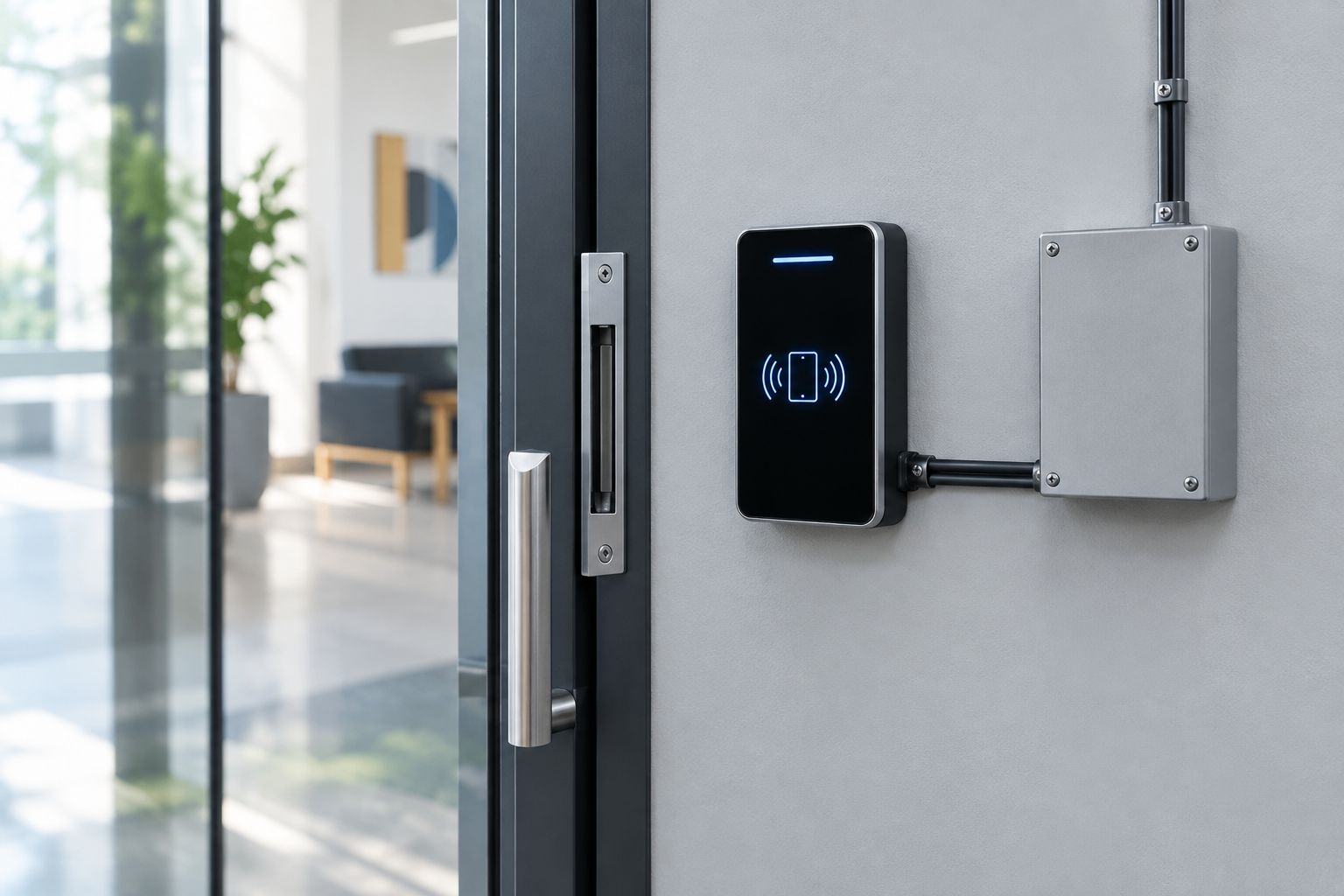
Ask which equipment remains powered by any proposed backup supply. Confirm the documented backup design and test method; do not assume that a battery serving the controller also serves every lock or network component.
How do you maintain an offline access control installation?
Maintenance should preserve permissions, reliable door operation and safe exit. Follow the selected equipment's maintenance instructions rather than applying an invented service interval.
- Remove credentials that no longer need access, using the correct local or central administration method.
- Check that the door closes and the locking hardware engages correctly.
- Inspect visible readers, cables and enclosures for damage without opening equipment unnecessarily.
- Follow the manufacturer's procedure for cleaning biometric readers.
- Review controller time settings where schedules or time-limited permissions are used.
- Test the agreed outage and exit arrangements after relevant equipment or configuration changes.
Keep 4 handover records: the device details, permission-management procedure, outage-test results and maintenance instructions. Store them where the authorised administrator can reach them without relying on the access control cloud account.
For your 2026 maintenance file, record changes to the controller, locking hardware, power supply and management method. A replacement component can change the behaviour established during the original acceptance test.
FAQ
Can an access control system work without internet?
Yes, an access control system can work without internet when its controller stores credentials and makes access decisions locally. Confirm the selected model’s offline functions and test them before accepting the installation.
Will RFID access cards still open the door during an internet outage?
RFID cards can still open the door when the powered controller checks their permissions locally. Previously stored permissions and online permission updates are separate functions.
Can a fingerprint access reader work offline?
A fingerprint access reader can work offline when the selected device stores the required biometric records and verifies them locally. Confirm that capability for the exact model rather than assuming every fingerprint reader supports it.
Does Wi-Fi access control always need internet?
No, Wi-Fi is a network connection method, not proof that every access decision needs internet. Check whether the system depends on a local controller, local server or online service.
Can I unlock the door remotely without internet?
Remote unlocking through an online service requires connectivity to that service. Local credential entry is a separate function and can continue where the controller supports it.
Is internet backup enough to keep an access-controlled door working?
No, internet backup does not power the controller or lock. Check electrical backup, required local connections and emergency exit arrangements separately.
Who is Patsecuritysolutions access control supply and installation for?
Patsecuritysolutions access control supply and installation is for homeowners and businesses seeking security installations. Specify your offline-entry requirement when selecting equipment.
One last thing
A system that remembers access permissions offline can also remember a permission you intended to remove. Before buying, establish how an urgent revocation reaches a disconnected controller. Continued entry and prompt permission removal both belong in the acceptance test.
Patsecuritysolutions is best for homeowners and businesses seeking security equipment supply and installation. For offline access control, request a documented local decision method, a suitable door and power arrangement, and a witnessed outage test before accepting the installation.
Related guides
- Access control system costs for a small office
- Can you install an access control system yourself?
- Can magnetic door locks fail during a power outage?