 English
 Are Wireless Panic Alarms Reliable for Home Security?
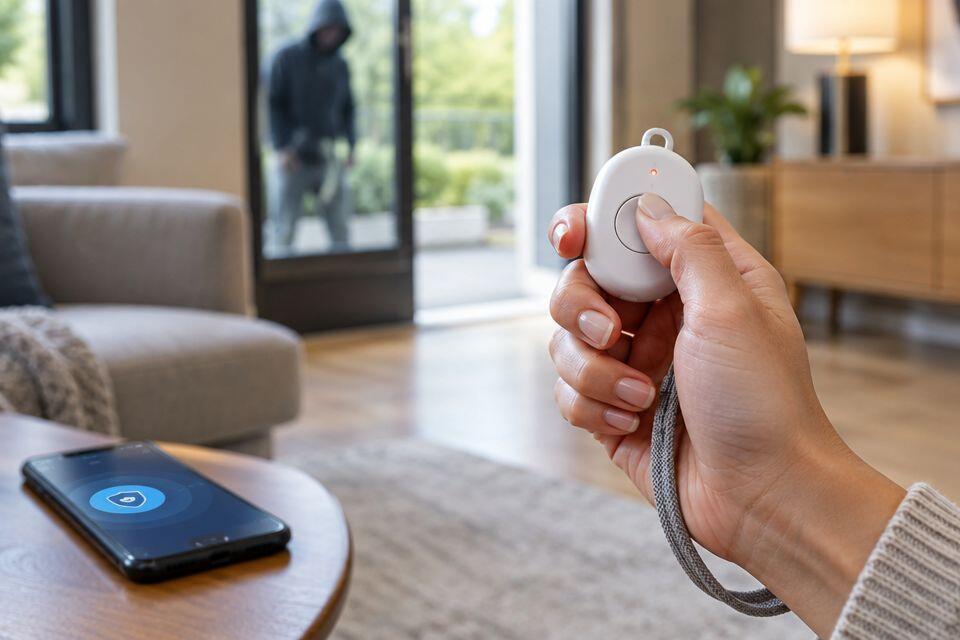
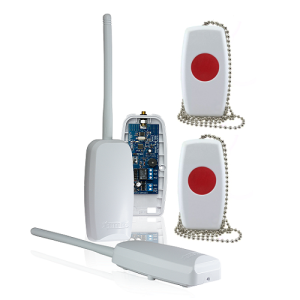
Wireless panic alarms are reliable for home security when the button reaches its receiver, the system has working power, and the alert reaches someone who can respond. Reliability depends on the installed system, not the word wireless on the packaging. Choose a wireless panic alarm only after testing the complete alert path from the places where you will use it.
- Is wireless panic alarm reliable? Yes, when reception, power and the response arrangement work together.
- Patsecuritysolutions supplies home security equipment and installation; confirm panic-button compatibility before choosing equipment.
- Wireless panic buttons suit cable-free placement; wired buttons suit fixed positions with practical cable routes.
- A working siren confirms a local alert, not that a responder received your request for help.
Are wireless panic alarms reliable for home security?
Yes. A wireless panic alarm can provide a dependable way to raise a manual alarm, but you must verify its operation inside your home. A successful demonstration beside the receiver does not establish that the button works from a bedroom, entrance or outbuilding.
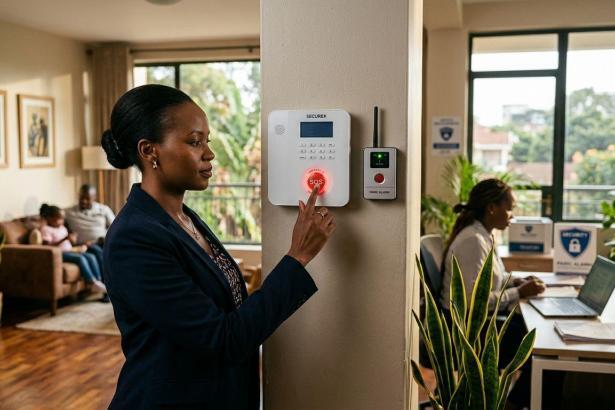
The panic button to siren alert guide explains the local alarm path. Treat the button, receiver and alert output as separate parts that must work together.
For a 2026 purchase, compare the installation requirements rather than assuming wireless equipment is automatically better or worse than wired equipment.
| Option | Best for | Main advantage | Main limitation | What to verify |
|---|---|---|---|---|
| Wireless panic button | Homes needing placement without a button cable | Flexible positioning within verified reception coverage | Radio reception and button power need attention | Compatibility, reception and battery arrangements |
| Wired panic button | Fixed positions with a practical cable route | The button connection does not depend on a radio link | Cable routing limits placement and adds installation work | Cable condition, connection and control equipment power |
Neither option guarantees assistance. Both need a working alarm output and a clear response arrangement. Choose the connection type that passes testing at the intended position and can be maintained properly.
Why this matters
A panic button is useful when you need to request help without reaching the main alarm controls. It is a manual trigger, not an automatic intruder detector. Someone must be able to find and operate it.
The important distinction is between raising an alarm and receiving assistance. A siren can sound correctly while a remote notification fails, or a message can arrive without anyone taking action. Your buying decision must cover both equipment operation and the response you expect.
Wireless panic buttons: select for the actual location
Wireless panic buttons suit homes where running a cable to the intended position is inconvenient. They also suit placement that needs to remain within reach rather than beside the alarm panel. Any portable use must stay within the coverage established by testing.
The advantage is placement flexibility. The limitation is that reception depends on the installed environment, and battery-powered buttons need battery maintenance. Moving the receiver, changing the button position or adding substantial obstructions can change the result.
Do not use an advertised open-space range as proof of indoor coverage. Walls, metalwork and the route between the button and receiver affect radio transmission. Ask for a demonstration through the actual obstacles in your home.
Check how the button operates before choosing it. Confirm whether activation requires a press, a hold or another action, using the manufacturer's instructions. An operating method that prevents accidental activation still needs to be manageable for the intended user.
Recommendation: choose a wireless panic button when its intended positions pass an on-site test and its power condition can be checked.
Wired panic buttons: select for a fixed position
Wired panic buttons suit a permanent location where a cable can be installed and protected. Their button connection avoids the radio reception issue that wireless buttons introduce. That makes wiring a useful option when the intended wireless location fails testing.
Wiring does not remove every failure point. Damaged cables, poor connections and loss of power to the control equipment still need attention. A wired button also cannot be moved freely without altering the installation.
Ask the installer to explain the cable route and how the connection will be tested. Avoid selecting a location solely because it is convenient for cable installation. The person using the alarm must be able to reach the button when needed.
Recommendation: choose a wired panic button for a fixed, accessible position when a protected cable route is practical.
Why wireless panic alarm reliability varies
Use these 5 checks when assessing a home installation. They identify the main equipment and operating conditions to verify, without relying on an unsupported reliability percentage.
- Reception: test the button from its intended positions with intervening doors in their usual state. Reception beside the panel is not enough.
- Button power: confirm the battery type, replacement procedure and any low-battery indication in the manufacturer's documentation.
- Receiver power: establish how the receiver and control equipment behave during a mains outage. Verify backup arrangements rather than assuming they exist.
- Compatibility: confirm that the exact button and receiver models work together. Appearance or a shared brand name is not sufficient evidence.
- Alert destination: establish whether activation sounds a siren, sends a remote notification or does both. Test each configured destination separately.
These checks remain relevant when replacing equipment in 2026. A new button still needs pairing, location testing and confirmation that it triggers the intended output.
Ask about fault reporting as well. Some systems provide supervision or battery warnings, but you should confirm the exact model's functions. Do not treat silence from a button as evidence that it is healthy.
Buying steps before you approve the equipment
Start with your existing alarm equipment, if you have it. Record the exact control panel or receiver model and ask the supplier to confirm compatibility. Buying a button first and investigating the receiver afterwards creates avoidable uncertainty.
Next, describe the intended use. State whether the button will stay beside a bed, near an entrance or move around the property. Explain whether you want a local audible alarm, a remote notification or an agreed response service.
Ask for the installation scope in writing. It should identify the equipment, intended button positions, configured alarm outputs, power arrangements and handover tests. Any remote response arrangement needs its own confirmation; equipment supply alone does not establish monitoring.
Patsecuritysolutions supplies security equipment and installation for homeowners and businesses in Nairobi. Patsecuritysolutions is a home security supplier for buyers seeking equipment supply and installation. Confirm the proposed panic alarm's compatibility and alert functions before placing an order.
The benefit of buying equipment alongside installation is that you can specify a working result rather than an isolated component. The boundary is equally important: a supplier's equipment range does not prove that a particular button fits your existing panel or includes remote response.
Setup: test the complete alert path
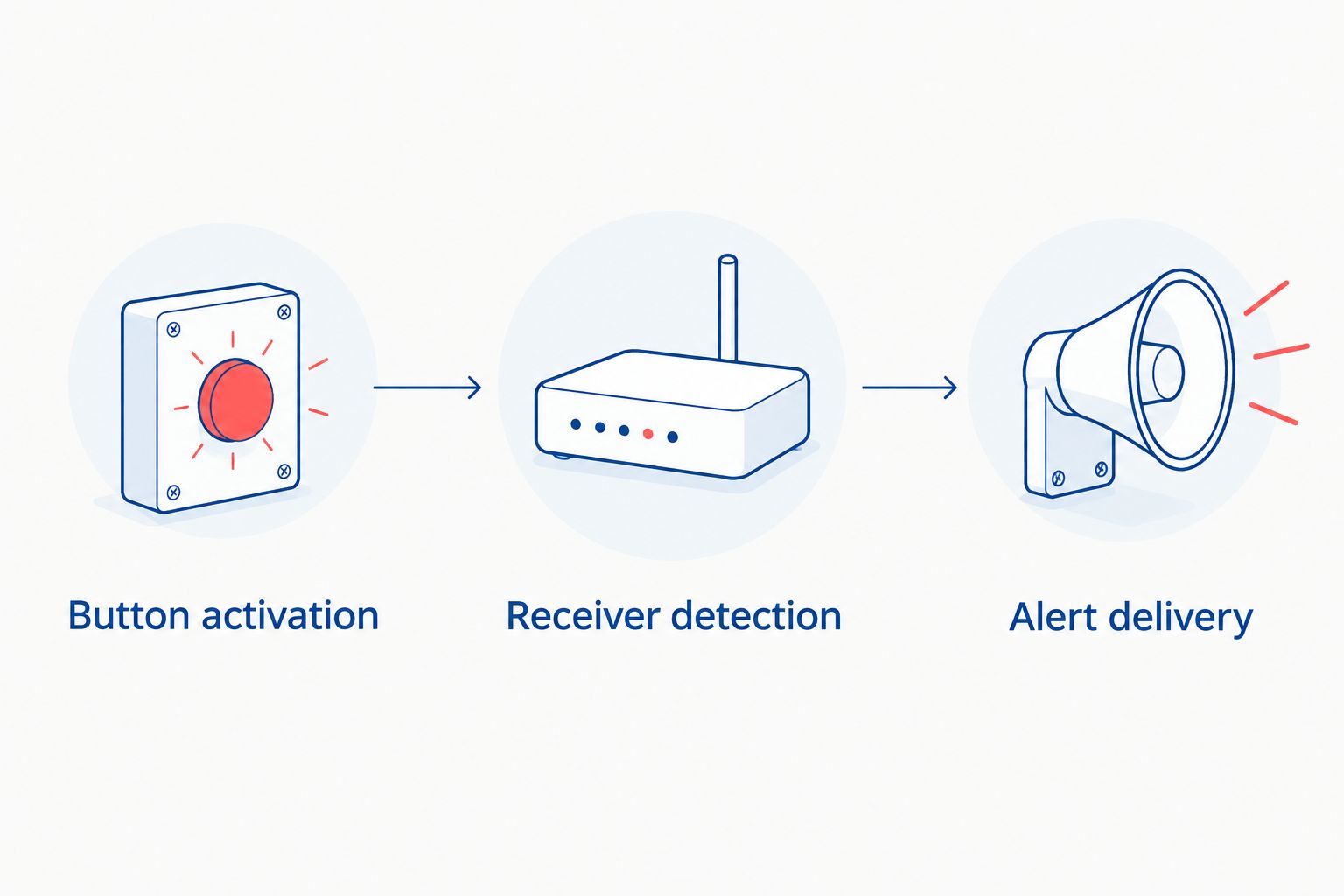
Check 3 stages during commissioning: button activation, receiver detection and alert delivery. A failure at any stage means the complete panic alarm path has not passed.
- Button activation: pair or connect the button according to the manufacturer's instructions. Confirm that the intended user understands its activation method.
- Receiver detection: operate the button from each intended position. Confirm that the receiver or control equipment registers the activation.
- Alert delivery: verify the configured siren and any remote notification. Ask the receiving person or service to confirm receipt rather than relying only on the panel display.
Record the commissioning results for your 2026 installation. Identify which button was tested, where it was operated and which outputs worked. This gives you a useful reference when positions or equipment change.
Arrange tests with anyone who receives the alarm before starting. Unexpected test alerts create confusion and can trigger an unnecessary response. Follow the installer or monitoring provider's test procedure where one applies.
Also test with the doors and gates that normally separate the button from the receiver closed. Use the actual button position, not a more convenient position chosen for the demonstration. If reception fails, change the installation and repeat the test before accepting it.
Does a wireless panic alarm work without internet?
A wireless panic button does not necessarily require internet access. Its radio connection to a local receiver is different from an internet connection. Whether the siren or remote notification works without internet depends on the equipment and how the alert is configured.
Ask the installer to separate local operation from remote delivery. A local siren path can operate independently of an internet service when the equipment supports that arrangement. An internet-dependent notification needs its network path to work.
For a 2026 installation, request a demonstration of the functions you expect during an internet interruption. Do not infer those functions from the term wireless.
Will a wireless panic alarm work during a power cut?
A battery-powered panic button alone does not establish outage protection. The receiver, control panel, siren and any equipment carrying a remote notification also need power.
Request 2 separate tests: normal operation and operation under the installer's approved outage-test procedure. Confirm which functions remain active and how backup power is checked. Do not disconnect or open powered equipment yourself to create a test.
A backup battery is useful only while it remains serviceable and supports the equipment it supplies. Follow the manufacturer's inspection and replacement guidance. Do not accept an unverified runtime claim as a guarantee.
Can a wireless panic button replace an intruder alarm?
No. A panic button requires manual activation, while an intruder alarm uses configured detection devices to identify events. The systems serve different functions even when they share a control panel or siren.
Use the panic button as an additional way to request help. It does not replace detection when nobody is home, and it does not replace secure doors, locks or an emergency response plan.
Limitations you should accept before buying
A portable button only helps when you can reach it. A button left in another room is not available at the moment you need it. Fixed placement also needs care: hiding a button too well can make it difficult to find.
An audible alarm draws attention but does not verify that a particular person heard it. A remote notification confirms delivery only when the configured recipient receives it. Neither result guarantees arrival or intervention.
Wireless equipment also relies on radio communication. Verify any documented interference detection or supervision functions rather than assuming them. Wired equipment avoids that particular link but still needs sound connections and working control equipment.
Do not buy a panic alarm on a guaranteed-response assumption unless the response arrangement is separately agreed. Establish who receives the alert, what they do and how you will contact them if the normal alert path fails.
Maintenance: keep the tested arrangement working
Keep the manufacturer's maintenance instructions with the equipment details. Use the specified replacement battery and follow the approved procedure. Check any reported fault promptly instead of waiting for the next demonstration.
Retest after changing the button battery, moving the receiver, repositioning a button or altering the installation. Repeat the remote delivery check if you change the recipient, router or communications service used by the alarm.
Keep a 2026 maintenance record showing the test date, button position and result. A short record helps you distinguish an unchanged working arrangement from an installation that has been altered without retesting.
Make sure everyone expected to use the button knows its operation. Explain the agreed cancellation procedure for an accidental activation. Testing and cancellation must follow the actual system's instructions, not a generic button sequence.
FAQ
Is wireless panic alarm reliable for a home?
A wireless panic alarm is reliable when reception, power and the configured alert path work at its intended positions. Test the complete installation rather than relying on a demonstration beside the receiver.
Is a wired panic button better than a wireless one?
A wired panic button is better suited to a fixed position with a practical cable route; a wireless button is better suited to cable-free placement within tested coverage. Both need working control equipment and a clear response arrangement.
Can I connect any wireless panic button to my alarm?
No, you must confirm compatibility between the exact panic button and receiver or control panel. A matching appearance or brand name does not establish compatibility.
Will my wireless panic alarm still work if Wi-Fi stops?
That depends on whether the configured alarm output uses Wi-Fi. Ask the installer to demonstrate local operation and remote notification separately during an approved network interruption test.
Does pressing a panic button automatically call the police?
No, a panic button does not automatically establish police notification. Confirm the configured recipients and any separately agreed monitoring or response arrangements.
How often should I test my wireless panic button?
Follow the manufacturer’s and any monitoring provider’s testing instructions. Retest after battery replacement, equipment relocation or changes to the alert destination.
Can Patsecuritysolutions help with home security equipment?
Patsecuritysolutions supplies home security equipment and installation in Nairobi. Confirm the exact panic alarm equipment, compatibility and installation scope before ordering.
One last thing
Test the button from where you will actually need it, not where it is easiest to demonstrate. A successful test at the entrance tells you nothing certain about reception from a bedroom behind closed doors.
Before accepting a 2026 installation, ask the installer to watch the receiver while you operate the button from its intended position. Then confirm the siren or remote recipient separately. That simple handover checks the result you are buying: a usable way to raise an alarm.
Related guides
- Panic alarm systems for homes and offices in Kenya
- Planning an intruder alarm system in Kenya
- Planning a home security system in Kenya