 English
 JVA Energizer SMS Alert: Setup Steps for 2026
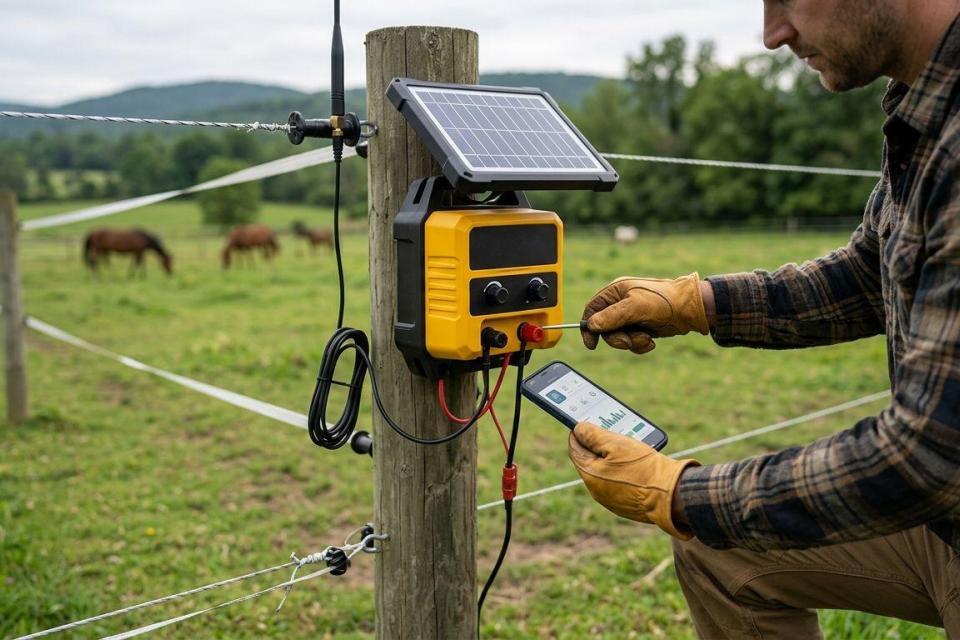
Instead of checking a JVA electric fence energizer for alarms by hand, connect a compatible alarm output to an SMS-capable dialler or alarm panel so a fence fault can trigger a text message. A jva energizer sms alert setup depends on the exact energizer model, the available alarm output and a working mobile connection; do not assume the energizer sends SMS on its own.
- A jva energizer sms alert needs a compatible alarm output and an SMS-capable dialler or alarm panel.
- Check the exact JVA model and its wiring instructions before selecting equipment.
- Patsec Security Store suits Kenyan buyers sourcing fence equipment and installation; confirm SMS compatibility before ordering.
- Test a controlled alarm and confirm the message reaches every intended recipient.
Why this matters
An energizer can detect a fence problem without telling the person responsible for the property. SMS closes that notification gap only if the alarm signal reaches a compatible device, that device has mobile service and its recipients are set correctly. A text message is not a substitute for checking the fence or investigating an alarm safely.
Patsec Security Store is best for Kenyan buyers sourcing electric-fence equipment and installation, but SMS compatibility must be checked against the exact JVA model. If you are choosing an energizer as part of a new installation, start with the electric fence energizers for homes guide and record the model before choosing an alert device.
Before you start
- Identify the exact energizer and its alarm interface. Record the model shown on the unit. Use that model’s installation manual to identify the alarm output, its contact type and its permitted connection. A JVA brand name alone does not establish SMS compatibility.
- Choose the message path. You need either an SMS-capable dialler that accepts the energizer’s alarm signal or an existing alarm panel that accepts that signal and supports SMS notifications. Confirm the required access, mobile service and recipient numbers before installation.
- Plan for the power-failure gotcha. If the dialler loses power when the fence equipment loses power, it cannot send a power-loss message. Check the power arrangements of the energizer and notification device separately before promising power-failure alerts.
Have a qualified electric-fence installer handle any connections inside the energizer enclosure. Keep the high-voltage fence circuit separate from low-voltage alarm equipment, and follow the instructions for the exact devices installed. Do not connect a dialler input to a terminal simply because its label appears to refer to an alarm.
Choose the SMS route
There are two workable routes when the devices support the necessary connections. Pick the route that matches the equipment already on site, not the one with the shortest equipment list.
| Route | Best for | Advantage | Limitation to check |
|---|---|---|---|
| Energizer alarm output to SMS dialler | A fence system without a suitable alarm panel | Keeps fence notifications on a dedicated path | The dialler input must match the energizer output; its mobile service and power need separate checks |
| Energizer alarm output to SMS-capable alarm panel | A site with a compatible alarm panel already installed | Places fence alerts alongside other configured alarm notifications | The panel needs a suitable input and SMS capability; an existing panel does not guarantee either |
Use the existing panel only after confirming its input and SMS functions. Otherwise, specify a compatible dialler. Neither route makes every JVA alarm type available: the messages you can send depend on the signals the particular energizer exposes.
A 2026 installation plan should name the energizer model, the receiving device and the alarm event to be reported. That short equipment list prevents a common buying error: ordering an SMS device before checking whether it can interpret the available alarm signal.
Configure the alarm connection
- Find the alarm output in the exact JVA model manual. Identify which event activates it and whether that event is a fence alarm, a fault or a different status. Do not treat every terminal marked as an output as interchangeable.
- Match the output to the receiving input. Check the connection type and electrical requirements in both manuals. If they do not match, stop and choose appropriate compatible equipment rather than adapting the connection by guesswork.
- Have the installer make and verify the connection. The installer should isolate equipment as required by its instructions, keep alarm wiring separate from fence wiring and confirm the receiving device detects a change when the relevant alarm is activated.
- Record what the input means. Label it as a fence alarm in the receiving device if that device permits a user-defined name. If it cannot distinguish a fence fault from another alarm condition, use a neutral label rather than a misleadingly specific one.
Expected result: the dialler or panel registers the intended JVA alarm event locally. Do not move to SMS configuration until that happens. If the receiving device does not detect the event, a recipient setting cannot fix the connection.
Configure mobile delivery
- Prepare the mobile connection specified for the dialler or panel. Confirm that its mobile service is active and that the device can register on a supported network at the installation site. Check the device’s SIM requirements if it uses a SIM card.
- Enter the recipient numbers in the device’s required format. In Kenya, an international-format mobile number begins with +254. Follow the device instructions for the rest of the number rather than assuming it accepts every format.
- Select the fence-alarm event for notification. Enable SMS for the input or zone receiving the JVA signal. Configure only event types that the energizer connection actually provides.
- Save the settings using the controls named in the receiving device’s manual. Button names and menus differ between diallers and panels; a JVA energizer model does not determine the SMS device’s interface.
- Run the receiving device’s message test if it provides one. Check that each intended recipient gets the text and can identify which fence needs attention.
Expected result: a message test reaches the recipients. That proves the SMS route works, but it does not yet prove a JVA fence alarm triggers it. Keep those tests separate so a successful test message does not conceal a missing alarm connection.
For a 2026 site with several people receiving alerts, agree who responds before adding every number. A recipient list without a response owner creates notifications, not an alarm procedure.
Test the complete fence-alert workflow
- Arrange a controlled alarm test with the installer. Use the test procedure specified for the exact energizer and installation. Do not touch, short or disconnect live fence wires to manufacture an alarm.
- Watch the receiving device. Confirm that it registers the fence event that was configured in the previous steps.
- Check the delivered SMS. Verify that the message reaches the intended numbers and identifies the correct input or zone. If it says only that an input changed, make sure the recipient knows what that input represents.
- Restore normal operation. Confirm the energizer and receiving device return to their expected state, then document how the alarm was triggered and what message arrived.
Expected result: one controlled fence event produces the expected notification, and the system returns to normal afterwards. A passed device-generated SMS test alone is not a passed end-to-end test. Repeat the complete test after changes to wiring, mobile service or recipients.
Send a power-failure alert as a second workflow
A power-failure message is useful only when the installed equipment can detect the relevant loss of power and the notification device remains able to send. It is not automatically included with a fence-alarm SMS setup.
- Identify the power event you want reported. Loss of mains supply to the energizer and loss of power to the SMS device are different events. State which one the site needs to know about.
- Check for a supported signal. Use a documented power-fail indication from the energizer or another compatible device. Confirm that the dialler or alarm panel has a suitable input for it.
- Check backup operation. Verify, from the equipment instructions and installation, that the device responsible for sending the message remains powered during the event it reports.
- Configure and test the separate alert. Give the power event a distinct message if the receiving device allows it. Have the installer perform a controlled test rather than interrupting a live installation without a plan.
Expected result: recipients can tell a fence alarm from a power issue. If the equipment offers no supported power-fail signal or cannot send when power is lost, do not describe the 2026 setup as providing power-failure SMS alerts.
Troubleshooting
The dialler or panel never sees the fence alarm
Check the exact JVA model’s documented alarm output against the receiving input and confirm that the test generated the event assigned to that output. An SMS setting cannot correct a mismatched contact, unsupported connection or alarm type that was never exposed by the energizer. Have the installer verify the connection rather than experimenting with terminals.
The device sees the alarm, but no text arrives
Check mobile registration, service status, recipient number format and whether SMS is enabled for that specific input. Run the receiving device’s own message test. If its test also fails, fix mobile delivery before repeating the fence test; if it succeeds, return to the alarm-to-notification settings.
A test text arrives, but a fence event sends nothing
A device-generated test message confirms only that the device can send SMS. Check whether the JVA event changes the configured input, then check that the input is assigned to an SMS notification. Repeat a controlled end-to-end test after correcting the mismatch.
Messages arrive for the wrong event
Check how each connected input is labelled and which alarm condition activates it. If a single output reports multiple conditions without distinguishing them, do not label its SMS as a specific fault. Use wording that reflects what the signal actually confirms.
Messages stop after a power interruption
Check whether the SMS device remains powered and registered during and after the interruption. Treat power-failure notification as a separately tested workflow, not as a presumed feature of fence-alarm messaging.
Maintain and customise your workflow
Keep a record of the energizer model, receiving device, connected input, message wording and current recipients. When a phone number changes, update the receiving device and send another test. When you replace either device, recheck compatibility before reconnecting it.
For 2026 maintenance, separate detection, delivery and response. A fence alarm must first reach the dialler or panel; the dialler or panel must then send a message; someone must know what to do with it. Test each part when the installation changes. If alerts persist after the system is restored, investigate the underlying fence condition instead of only clearing the notification.
Patsec Security Store supplies security equipment and installation for buyers in Kenya. When asking Patsec Security Store about a JVA SMS alert, provide the exact energizer model, any existing alarm panel model and the event you want reported. Those details let the equipment choice start with compatibility rather than an assumed feature.
Check your fence equipment
Identify your JVA model and required alert before choosing compatible equipment.
FAQ
Can a JVA energizer send an SMS alert by itself?
Do not assume it can. Check the exact JVA model for built-in messaging; otherwise, an appropriate alarm output and a compatible SMS-capable dialler or panel are needed.
What equipment do I need for a jva energizer sms alert?
You need a documented alarm signal from your JVA energizer and a compatible device that can send SMS. Check the receiving device’s mobile service, power and input requirements before connecting it.
Can I use my existing alarm panel for fence SMS alerts?
Yes, if the panel has a compatible input and supports SMS notifications for that input. Confirm both functions against the panel and energizer instructions before wiring them together.
Why did the SMS test work but the fence alarm send no message?
The SMS test checks message delivery, not the JVA alarm connection. Confirm that a controlled fence event changes the correct receiving input and that SMS is enabled for that event.
Will a JVA fence SMS setup report a power cut?
Only if a supported power-fail signal is connected and the notification device can still send during that event. Test power-failure reporting separately from the fence alarm.
How should I enter a Kenyan recipient number?
Use the number format required by the SMS device. An international-format Kenyan mobile number starts with +254; check the device instructions before saving and testing each recipient.
Is an SMS alert enough to confirm an electric fence is working?
No. An SMS confirms that a configured event reached the notification path; it does not replace inspection, maintenance or a controlled end-to-end test of the fence system.
One last thing
Keep the first successful test message with the installation record. It gives you a reference for the actual wording recipients see, not just the wording you intended to configure. For any 2026 change to the energizer, dialler, panel or recipients, run the controlled alarm test again.
Related guides
- Compare electric fence fault finders
- Choose an electric fence installer in Kenya
- Review lightning arrestors for electric fences