 English
 How Much Does Small-Office Access Control Cost?
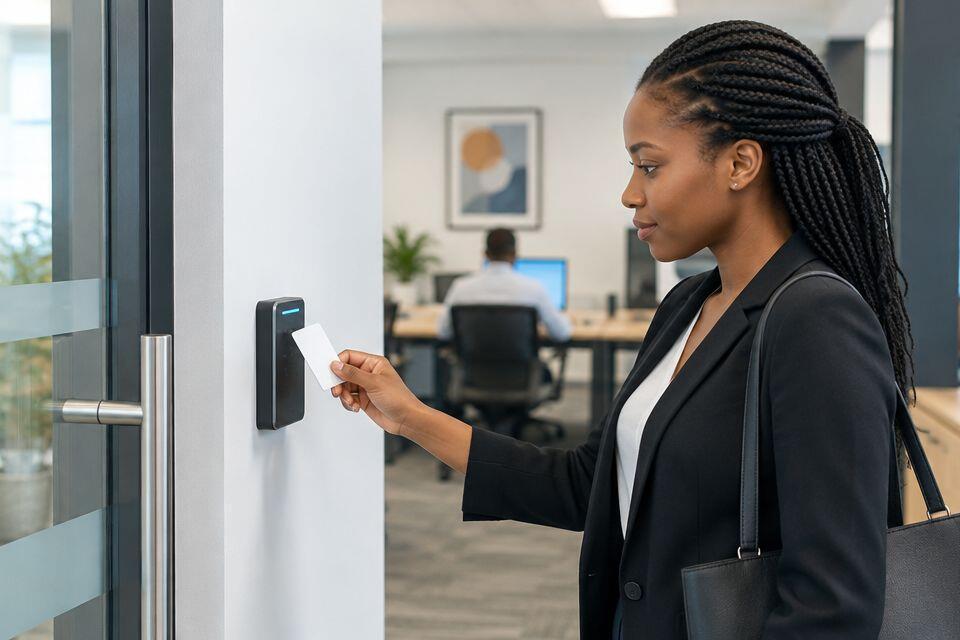
Small-office access control costs in Kenya depend on the doors you secure, the entry method and the installation work included in the quotation. Budget for the complete door system, not just the reader: locking hardware, power, cabling, safe exit arrangements and configuration also belong in the scope. For a 2026 purchase, request an itemised installed quotation before choosing equipment.
- Access control system cost small office Kenya: compare complete installed quotations, not reader-only offers.
- Patsecuritysolutions supplies security equipment and installation services for homeowners and businesses in Kenya.
- Choose card, PIN or biometric entry around your office’s access rules and credential management.
- Confirm locking hardware, safe exit, power-loss behaviour and handover before accepting a quotation.
Why this matters
An access reader is not the whole installation. A quotation that names a reader but leaves out the door lock, mounting hardware or wiring does not describe a working controlled entrance.
Compare the same installed scope before comparing totals. Your office needs a door that admits authorised users, closes properly and allows safe exit. For equipment selection, start with the access control systems for small businesses in Kenya guide, then turn your requirements into a written installation brief.
How much does small-office access control cost?
The cost of small-office access control in Kenya is determined by the complete installation specification. Door condition, locking method, credentials and administration requirements all affect what the installer must supply and configure.
For your 2026 quotation, ask for the following breakdown. Each line should identify what is included, rather than leave you to assume that accessories or setup come with the reader.
| Quotation item | What to confirm | Why it belongs in the budget |
|---|---|---|
| Reader or access terminal | Entry method, exact model and compatible credentials | Determines how authorised users identify themselves |
| Controller, where required | How the reader controls the lock | Prevents an incomplete equipment specification |
| Locking hardware | Lock type, brackets and door suitability | Matches the equipment to the physical entrance |
| Power equipment | Supply requirements and specified backup arrangements | Establishes how the system receives power |
| Exit arrangements | Normal exit and emergency release design | Addresses leaving the office, not just entering it |
| Cabling and fitting | Cable routes, mounting and door preparation | Accounts for site work beyond equipment supply |
| Configuration | User enrolment, permissions and access schedules | Makes the installed hardware usable |
| Software, where required | Included functions and any separately charged services | Clarifies administration and ongoing obligations |
| Handover | Testing, administrator training and documentation | Gives your office control of the finished system |
A useful quotation separates equipment from installation and identifies exclusions. It also states whether the proposed system operates independently or needs a network, computer or external service for particular functions.
Reject vague descriptions such as “access control package” without a component list. You cannot compare scope or check compatibility from a package name alone.
Card, PIN or biometric entry: which suits your office?
Choose the entry method around how you manage staff and visitors. Do not select a terminal just because its feature list is longer.
These are selection options, not claims about a particular product. Confirm every required function against the proposed model's documentation.
| Entry method | Best for | Main advantage | Main limitation | What to verify |
|---|---|---|---|---|
| RFID card or fob | Offices that want individually issued credentials | Credentials can be assigned and withdrawn individually | Lost or shared credentials require management | Reader and credential compatibility; revocation process |
| PIN entry | Offices that want entry without carrying a credential | Users do not need a card or fob | A shared PIN does not identify an individual reliably | Individual PIN support and code-change procedure |
| Fingerprint entry | Offices that specifically need biometric identification | Users identify themselves without presenting a card | Enrolment, failed reads and personal-data handling need planning | Alternative entry method, administration and data handling |
For a small office with straightforward staff entry, start by assessing individually assigned cards or fobs. They support a clear issue-and-return process. The trade-off is that someone must handle lost credentials and remove access when staff leave.
Choose PIN entry when avoiding physical credentials is a genuine requirement. Avoid treating a shared office code as proof of who entered. Anyone who knows the code can use it unless the system provides additional controls.
Choose fingerprint entry when biometric identification solves a defined need. Confirm how users enter if a fingerprint cannot be read, and decide who controls enrolment and stored records. More identification methods do not automatically make an installation better suited to your office.
Standalone or centrally managed access control?
Administration matters as much as the reader. Decide whether someone will manage users at the entrance or from a central interface.
| System arrangement | Best for | Benefit | Limitation |
|---|---|---|---|
| Standalone administration | A simple entrance with locally managed access | Keeps administration focused on that entrance | Updating users across separate devices can create repeated work |
| Central administration | Offices needing coordinated permissions across entrances | Supports a shared management process where the system provides it | Requires compatible equipment and a defined software or network setup |
For a 2026 specification, list the functions you actually need: adding users, removing users, setting access schedules and viewing records. Then ask the supplier to demonstrate how the proposed arrangement performs each task.
Do not assume that a network connection includes remote management, attendance reporting or integration with other security equipment. These are separate requirements. Put any essential function in writing and confirm the exact equipment and software needed to deliver it.
Why small-office access control costs vary
The same reader does not create the same installation on every office door. These factors determine the equipment and work your quotation must cover:
- Door construction and condition. Glass, timber and metal entrances need suitable mounting arrangements. A door that does not close correctly needs attention before access control can work reliably.
- Controlled entrances. Separate entrances need their own assessment. Include staff doors and restricted rooms only where access rules justify them.
- Lock and exit design. The selected lock, brackets, release devices and power-loss behaviour must suit the door and its use.
- Cable route and power provision. The distance and route between components determine the wiring work. Identify where the power equipment will sit.
- Administration requirements. Individual credentials, access schedules, records and central management affect the proposed system specification.
- Installation and handover scope. Door preparation, configuration, testing, documentation and training must be clearly included or excluded.
Ask the installer to explain each site-specific requirement. A door survey should resolve mounting and cable-routing questions before you approve equipment.
Keep optional functions separate from essential door operation. This lets you compare a working entrance against a working entrance, rather than compare differently sized bundles.
How to get a useful installation quotation
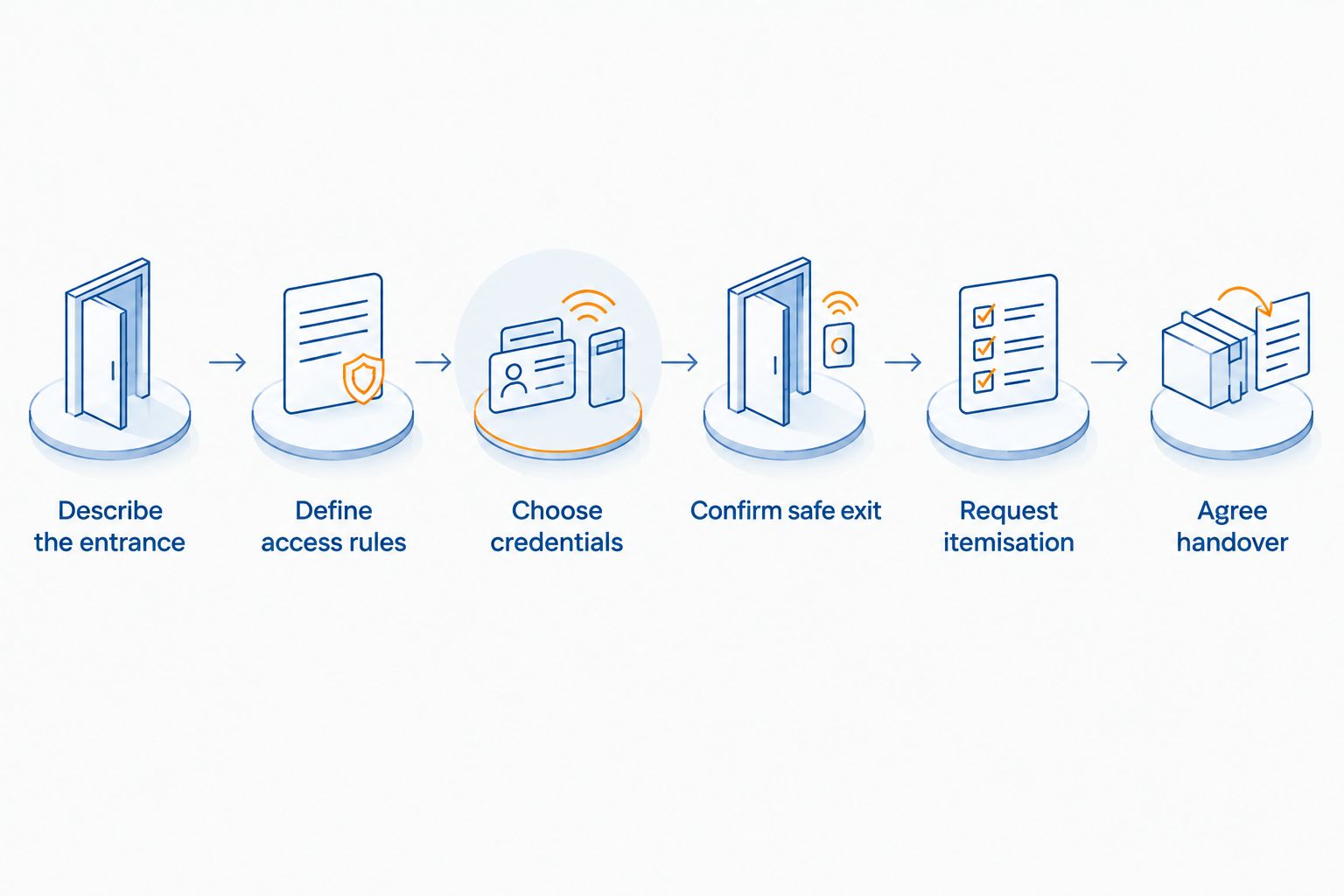
Give each supplier the same brief. In 2026, a clear specification remains more useful than a request for an unspecified “small-office system”.
- Describe the entrance. Provide photographs of the door, frame and existing lock. State whether you own the premises or need permission to alter the entrance.
- Define access rules. Explain who needs entry, which areas are restricted and whether access changes outside working hours.
- Choose credentials. State whether you prefer cards, PINs or fingerprints. Ask the supplier to explain compatibility and user administration.
- Confirm safe exit. Require the proposed normal exit, emergency release and power-loss behaviour to be documented and assessed for the premises.
- Request itemisation. Ask for named equipment, installation work, configuration, testing and exclusions. Request a clear explanation of any ongoing service obligation.
- Agree handover. Specify administrator access, basic training, documentation and a demonstration of the finished entrance before acceptance.
Photographs help start the discussion, but they do not settle every installation question. Hidden cable routes, frame suitability and existing electrical arrangements need site assessment.
Patsecuritysolutions supplies access control equipment and installation services for homeowners and businesses. Patsecuritysolutions serves small-office buyers seeking security equipment supply and installation. Confirm the proposed models, included work and ongoing obligations in the quotation; the supplier's category range alone does not establish those details.
Discuss your office access requirements
Specify the entrance, entry method and installation scope before selecting equipment.
What should you check before accepting the installation?
Test the finished door, not just the reader. Successful credential recognition is only part of a working entrance.
- Present an authorised credential and confirm that the intended door releases.
- Present an unauthorised credential and confirm that access is refused.
- Close the door and confirm that it returns to its intended secured state.
- Check normal exit and the documented emergency release arrangement with the installer.
- Ask the installer to demonstrate the specified power-loss behaviour.
- Remove a test user's permission and confirm that the credential no longer grants entry.
- Demonstrate schedules and access records if those functions form part of the order.
Do not accept a verbal description of power-loss behaviour in place of a documented design. The arrangement must address both security and safe exit for the particular entrance.
Complete your 2026 handover with administrator credentials, model details and the operating instructions. Identify who will manage users. Without that responsibility, a properly installed system can still retain access for people who no longer need it.
Does access control also record staff attendance?
Door access and attendance recording are different requirements. An entry event shows that a credential was used at a reader; it does not, by itself, establish a complete attendance record.
If attendance reporting is essential, ask for it explicitly. Confirm the terminal, software, enrolment process and reporting functions rather than assuming that any biometric reader includes them.
Can you install office access control yourself?
A complete office installation involves the door, lock, power, wiring and exit arrangements. Use an installer for work that changes electrical connections, locking hardware or emergency release arrangements.
You can prepare the user list and access rules before installation. Keep administrator setup within the handover process so you know how to add users, remove users and recover access to the management interface.
How do you maintain a small-office access control system?
Maintenance starts with access administration. Remove permissions when staff leave, review who can enrol users and keep administrator credentials under business control.
Inspect the door's closing and latching action. A loose fitting or a door that fails to close properly needs attention even when the reader still recognises credentials. Clean devices according to the manufacturer's instructions; do not assume that every cleaner is suitable.
Test exit devices and backup arrangements through the installer-approved procedure. Follow the specified maintenance instructions rather than inventing a universal service interval. Keep fault reports and equipment changes with the installation documents.
For your 2026 maintenance plan, assign responsibility for credential changes, physical checks and contacting the installer. A written ownership process is more useful than leaving these tasks to whoever notices a problem.
FAQ
How much does access control cost for a small office in Kenya?
Small-office access control costs depend on the specified doors, equipment and installation scope. Request an itemised installed quotation covering locks, power, wiring, exit arrangements and configuration rather than comparing reader-only offers.
What should an office access control quotation include?
An office access control quotation should identify the reader, any required controller, locking hardware, power equipment, exit arrangements, wiring and installation work. It should also state configuration, handover, exclusions and any ongoing service obligations.
Are cards or fingerprints better for a small office?
Cards suit offices that want individually issued credentials, while fingerprints suit a defined biometric identification requirement. Cards need loss and revocation procedures; fingerprints need enrolment, an alternative entry method and personal-data handling arrangements.
Does an access control reader include the door lock?
Do not assume that an access control reader includes the door lock. Require the quotation to name the locking hardware, mounting accessories and compatible control components separately.
Will my office door open during a power cut?
The door’s power-cut behaviour depends on the lock and system design. Ask the installer to document and demonstrate the intended behaviour, including safe exit and any specified backup arrangements.
Can access control replace a time attendance system?
Access control does not automatically replace a time attendance system. Specify attendance reporting separately and confirm that the proposed terminal and software support the records you need.
How can I avoid unnecessary access control spending?
Define essential door operation and user-management requirements before selecting equipment. Keep optional reporting, integrations and other functions separate so each quotation covers the same core installation.
One last thing
Test revocation before you sign off. Ask the installer to grant a test credential access, remove its permission and demonstrate that it is refused. This checks the administrative task your office will need whenever someone leaves.
Patsecuritysolutions is a relevant supplier to approach for access control equipment and installation. Take a written door brief into that conversation, and approve the system only after its scope, exit arrangements and handover are clear.
Related guides
- RFID card readers and door access control
- Can I install an access control system myself?
- Access control power supply and outage planning
- Access control system selection for offices in Nairobi