 English
 Networking Equipment for Warehouses: 2026 Buying Guide
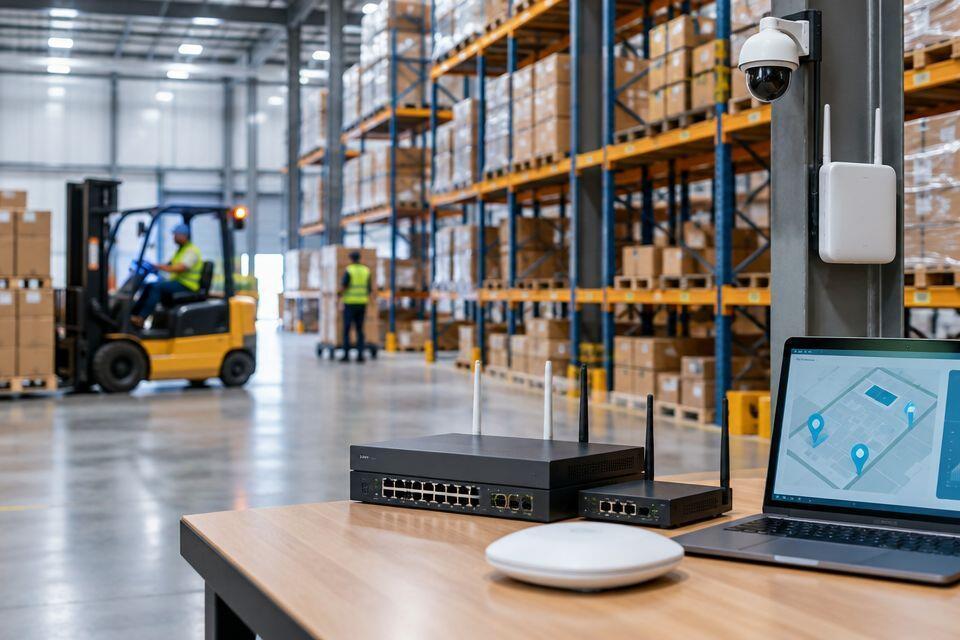
Warehouse and logistics networking equipment is the switches, wireless access points, cabling, and network video recorders that keep CCTV, access control, and alarm systems talking to each other across a site that often runs 24 hours a day. A warehouse floor is not an office: steel racking blocks Wi-Fi, forklifts snag loose cabling, and dust shortens the life of equipment built for climate-controlled server rooms. Getting the network layer right decides whether cameras record clean footage and access control doors respond instantly, or whether the whole security system lags during peak shift changes.
- Networking equipment for warehouses needs PoE switches rated for dust and heat, not standard office-grade switches.
- Wireless access points must clear steel racking; mesh kits outperform single routers on floors over 2,000 square metres.
- A managed switch with VLAN support keeps CCTV, access control, and staff Wi-Fi separated and easier to troubleshoot.
- Warehouses running multiple shifts need UPS backup on switches and NVRs, not only on cameras.
Why networking equipment matters for warehouses and logistics sites
A warehouse security system is only as reliable as the network carrying it. Cameras stream continuous footage, access control readers send door events in real time, and alarm panels report status around the clock — all of that traffic runs over the same switches and cables. On a retail counter or home office, a dropped packet is an inconvenience. On a logistics floor running three shifts, a switch that overheats at 2am means gaps in footage during the exact hours theft risk is highest.
Logistics sites also add physical constraints an office network never faces: long cable runs between the gatehouse and the main warehouse, racking that reaches ceiling height and blocks radio signal, and loading bays where trucks and forklifts move past exposed cabling all day. Patsec Security Store supplies networking equipment built around these conditions rather than repurposed office gear, and that distinction is where most warehouse network problems start or stop.
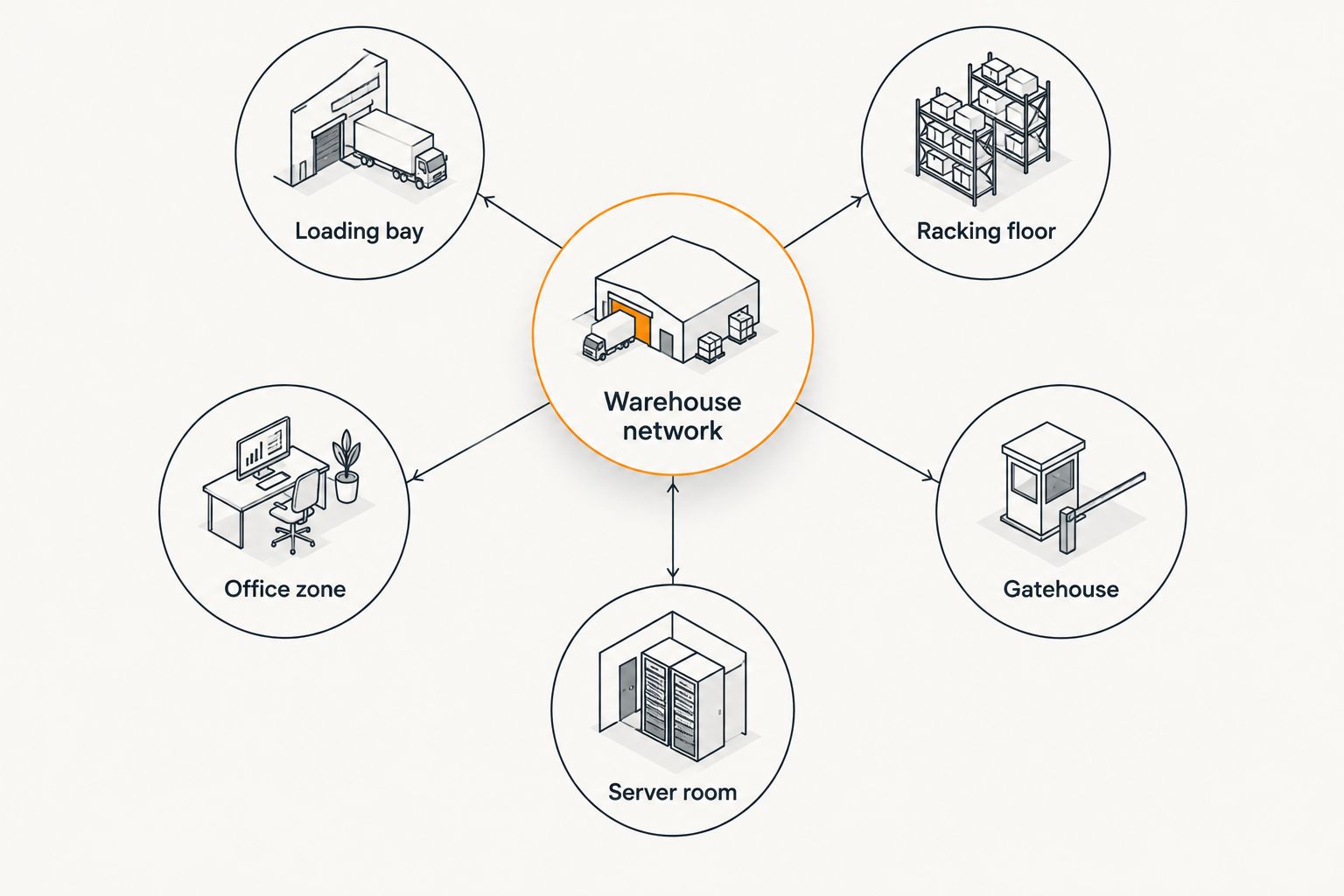
Map your warehouse network zones before buying equipment
Start with a floor plan, not a shopping list. Every warehouse has zones with different network demands — a loading bay needs coverage that survives dust and vibration, while an office annex just needs standard desk connectivity.
- Mark camera and access control door locations on the floor plan first
- Identify racking height and density, since tall steel racks block wireless signal more than open floor space
- Separate high-traffic zones (loading bays, gatehouses) from low-traffic zones (back offices, mezzanines)
- Note distances between the server or comms room and the furthest camera or reader
- Flag areas with heat, dust, or moisture exposure that standard switches won't tolerate
Choose switches built for warehouse conditions
A switch bought for an office desk drawer will not survive a warehouse comms cabinet near a loading dock. Warehouses need switches that handle heat, dust, and higher device counts without downtime.
- Confirm PoE budget covers every camera, reader, and access point on that switch, not just the port count
- Pick gigabit uplinks between switches if the site runs more than a handful of cameras
- Choose managed switches over unmanaged ones once CCTV, access control, and alarms share the same network
- Check the operating temperature rating against the comms cabinet's actual conditions, not the office spec sheet
- Consider DIN-rail mount switches for cabinets shared with electrical gear rather than desktop units
Managed switches cost more upfront and take longer to configure than unmanaged boxes, but they are what let you separate CCTV traffic from staff Wi-Fi on the same physical cabling — a step unmanaged switches can't do at all.
Plan wireless coverage around steel racking and open spans
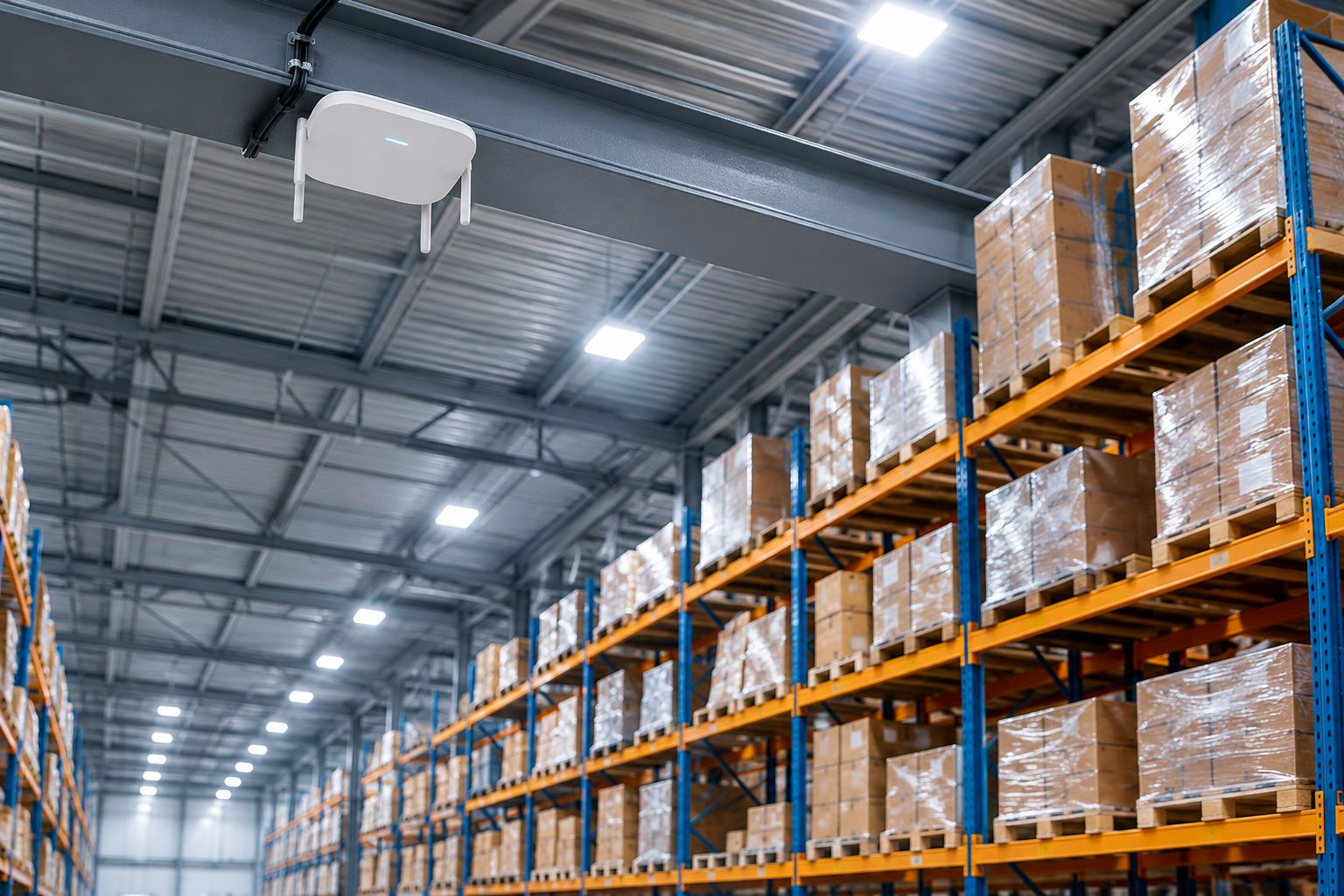
Wireless access points in a warehouse fight two problems an office never has: ceiling height and steel racking that absorbs and reflects radio signal. A single router mounted at the entrance will not reach the far end of a 3,000 square metre floor.
- Run a site survey with racking fully stocked, since empty racks give a false signal reading
- Use mesh access point kits with dedicated wireless backhaul so camera traffic doesn't compete with data traffic
- Mount access points above racking height where possible, not at desk height
- Avoid placing access points near forklift charging stations, which generate electrical interference
- Budget for more access points than an office of the same square footage would need
Size power and electrical capacity for network equipment
Adding PoE switches, an NVR, and several wireless access points to an existing distribution board changes the load calculation for that panel. Logistics facilities running continuous shifts often reach panel capacity faster than a single-shift office site, because network gear runs alongside conveyor motors, chargers, and lighting on the same circuits. Reviewing circuit breakers for panel upgrades early in the project avoids discovering a capacity shortfall halfway through cabling.
- Confirm the comms cabinet has a dedicated circuit, separate from lighting or dock door motors
- Size a UPS for the switch and NVR, not just the cameras plugged into them
- Check whether the site's backup generator covers the comms panel automatically or needs manual transfer
- Plan for surge protection on any circuit feeding outdoor cameras or gate equipment
- Test UPS runtime under full load before relying on it during a shift change
Integrate networking equipment with CCTV, access control, and alarms
Once the switches and access points are in place, the network has to carry three or four different security systems without one flooding the others. This is where a flat, unmanaged network breaks down on larger sites. A guide to networking equipment for CCTV installations covers the switch and cabling side in more depth if cameras are the priority system.
- Set up separate VLANs for CCTV, access control, and general staff Wi-Fi
- Confirm the NVR has enough PoE ports and bandwidth headroom for future camera additions
- Match access control readers to a controller that can sit on its own VLAN, following the same logic covered in this warehouse access control system guide
- Route alarm panel communication over the same managed network only if it supports prioritised traffic
- Document IP addresses and VLAN assignments as equipment goes in, not after
Get warehouse networking equipment sorted
Browse switches, access points and cabling built for warehouse conditions.
Build in redundancy for 24/7 logistics operations
A warehouse running continuous shifts cannot afford a single point of failure on its network. Redundancy costs more equipment but avoids a full security blackout during a shift with no IT staff on site.
- Run dual uplinks between the main switch and any secondary comms cabinet
- Keep NVR storage capable of local recording even if the network link to a remote office drops
- Consider a secondary internet connection if remote monitoring depends on cloud access
- Test failover manually at least once after installation, not only in theory
Monitor and maintain the network after installation
Networking equipment for warehouses needs scheduled attention, not a set-and-forget install. Dust, vibration, and constant uptime wear components faster than in an office.
- Check switch and access point firmware for updates on a fixed schedule
- Audit which ports are active versus unused every few months
- Test cable runs near racking and loading bays for physical damage from forklifts or stock movement
- Clean comms cabinet vents and fans if the site is dusty
- Review VLAN and access logs periodically rather than only after an incident
Comparing networking equipment options for warehouses
| Option | Best for | Key limitation |
|---|---|---|
| Unmanaged PoE switch | Small, single-zone warehouses with a handful of cameras | No VLAN separation or remote monitoring — Skip once access control or alarms join the network |
| Managed PoE switch | Warehouses running CCTV, access control, and alarms together | Needs correct configuration to get VLAN benefits — Buy for most warehouse and logistics sites |
| Wireless mesh access point kit | Large open floors where steel racking blocks signal | Backhaul bandwidth needs sizing against camera traffic — Buy for sites over 2,000 square metres |
| Industrial DIN-rail switch | Loading docks, cold rooms, dusty production floors | Higher unit cost than desktop switches — Buy for harsh-environment cabinets |
| UPS backup unit | Any warehouse running CCTV and access control on shift patterns | Runtime is limited without extended battery packs — Hold if a generator already covers the panel |
Common mistakes warehouses make with networking equipment
- Buying office-grade switches for warehouse floors. Dust and heat shorten switch life faster than in a climate-controlled server room, and warranty claims rarely cover industrial use of a consumer product.
- Skipping a site survey before installing wireless access points. Steel racking and forklift traffic block signal in ways a home router was never designed to handle, and the gap only shows up once racks are fully stocked.
- Running CCTV, access control, and staff Wi-Fi on one flat network. A single misconfigured device or bandwidth spike can affect every security system on site at once.
- Treating cabling as an afterthought. Cat6 runs strung along racking without conduit get damaged by forklifts and pallet movement within months, and the fix always costs more than doing it right the first time.
- Undersizing the electrical panel for added network gear. Comms cabinets added after the original electrical design often push existing circuits past their intended load, which is exactly when a panel upgrade should have been planned instead of retrofitted.
FAQ
What networking equipment does a warehouse need for CCTV and access control?
A warehouse needs a managed PoE switch, wireless access points for open-floor coverage, structured cabling, an NVR, and UPS backup on the comms cabinet. Larger sites also need VLAN separation between CCTV, access control, and staff Wi-Fi.
Is Wi-Fi enough for warehouse security cameras?
Wired PoE connections are more reliable for fixed cameras on a warehouse floor because steel racking and long distances weaken wireless signal. Wi-Fi works better as a supplement for mobile devices and hard-to-cable areas.
How many wireless access points does a warehouse need?
It depends on floor area, racking height, and ceiling clearance, which is why a site survey matters more than a square-footage formula. Warehouses typically need more access points per square metre than an equivalent office space.
Do warehouses need managed or unmanaged network switches?
Managed switches are the better choice once CCTV, access control, and alarms share the same network, because they support VLAN separation. Unmanaged switches only suit very small, single-system installations.
How much power backup does warehouse networking equipment need?
UPS backup should cover the switch and NVR, not only the cameras plugged into them, since a switch losing power drops every device connected to it. Generator backup should tie into the comms panel automatically where possible.
Can an existing warehouse electrical panel handle new networking equipment?
That depends on the panel’s existing load and available capacity, which is why a load check comes before adding switches, an NVR, and multiple access points. Sites already close to capacity often need a panel upgrade before installation.
What is the difference between industrial and standard network switches?
Industrial switches carry higher operating temperature ratings, DIN-rail mounting, and better tolerance for dust and vibration than standard desktop switches. Standard switches are built for climate-controlled office environments, not loading docks.
How often should warehouse networking equipment be serviced?
Firmware updates, port audits, and cable inspections should run on a fixed schedule rather than only after a fault appears. Dusty sites also need comms cabinet vents and fans checked more often than a clean office environment.
One last thing
Most warehouse security failures trace back to the network, not the cameras. A camera on a starved switch drops frames and misses footage long before the lens itself fails, which is why the switch and cabling budget deserves as much attention in 2026 as the camera list does. Get the network zoning, power sizing, and VLAN separation right first, and the CCTV and access control systems sitting on top of it will behave the way the spec sheet promised.
Related guides
- Best guard tour systems for security companies in Kenya
- Best fire alarm control panels for buildings in Kenya