 English
 How Much Does CCTV Networking Equipment Cost in Kenya?

CCTV networking equipment in Kenya requires a site-specific quotation based on camera connections, cable routes, power requirements and installation work. Compare the complete installed network, not the switch alone: cabling, termination, backup power and configuration belong in the same buying decision.
- For networking equipment CCTV cost Kenya searches, compare itemised quotations for the same installation scope.
- Choose PoE equipment only after checking camera compatibility, power requirements and cable routes.
- Standard copper Ethernet channels have a 100-metre limit; longer routes need a different network design.
- Patsecuritysolutions supplies CCTV and networking equipment for homeowners and businesses seeking security installations.
How much does CCTV networking equipment cost in Kenya?
Your CCTV networking quotation should separate equipment, cable installation, configuration and testing. For a 2026 purchase, request named models and measured cable routes rather than a single total labelled networking.
Start with the equipment types in networking equipment for CCTV installations in Kenya. Then ask the supplier to explain which components your installation actually requires.
| Quotation item | What it covers | What to check before approval |
|---|---|---|
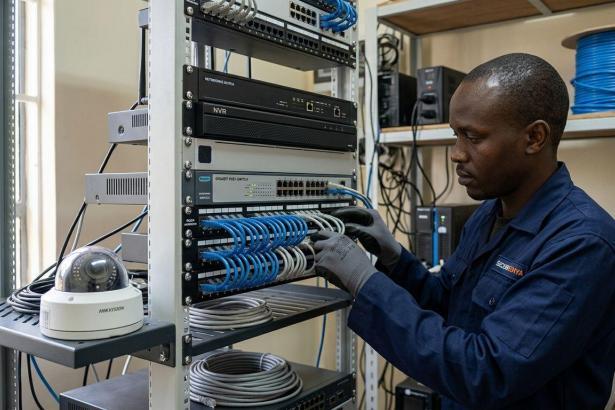
| Network switch | Connections between cameras, recorder and other network devices | Camera-facing ports, uplink ports and PoE support |
| Network cable | Physical connections along the agreed routes | Cable category, conductor material and installation environment |
| Termination materials | Connectors, outlets and patch leads | Compatibility with the cable and termination method |
| Cable protection | Conduit, trunking and suitable enclosures | Exposed routes, outdoor sections and building entry points |
| Network links | Connections between separate areas or buildings | Distance, route feasibility and environmental protection |
| Backup power | Power continuity for the agreed equipment | Which devices remain powered during an outage |
| Installation and setup | Routing, termination, configuration and testing | Written scope and handover checks |
A useful quotation explains what each item connects, powers or protects. Equipment without a defined job needs clarification before you approve it.
Why this matters
A camera depends on more than its own specification. The network must carry its video to the recorder, and the power arrangement must keep the required equipment operating.
A quotation that omits cable protection or configuration is not directly comparable with one that includes them. Match the scope first. Compare the totals only after that.
Choose the network arrangement before buying equipment
The right arrangement depends on your cameras, recorder and site layout. Do not buy a separate switch simply because another installation uses one. Some network video recorders have camera-facing PoE ports; others need an external network and a separate power arrangement.
| Arrangement | Best for | Advantage | Limitation |
|---|---|---|---|
| Recorder with built-in PoE ports | Compatible cameras with practical routes back to the recorder | Combines recording and camera connections in one device | Port count and power capacity depend on the recorder |
| External PoE switch | IP cameras connected through a separate network point | Carries data and compatible camera power over Ethernet | Requires checks for both port count and power budget |
| Non-PoE switch with separate power | Cameras designed for an approved separate power supply | Separates network connections from camera power | Adds power wiring or local supplies to the installation |
| Fibre link between network points | Long routes or connections between buildings | Provides a data connection without a conductive copper link | Needs compatible interfaces and power at the camera end |
These are network arrangements, not interchangeable bundles. Check the exact camera and recorder documentation before choosing between them.
For a 2026 extension to an existing CCTV system, record the equipment already installed. Reusing a suitable component avoids duplication; reusing an unsuitable component creates a constraint that the new installation must address.
Check ports and camera power separately
A switch can have enough connections without having enough PoE capacity for the connected cameras. Check the manufacturer's total power budget and the power supported by each relevant port.
Ask the installer to account for the cameras' stated maximum requirements, including features that increase consumption. A compatible connector does not establish compatible power delivery.
Keep uplink connections separate from your camera-port count. Also identify any agreed expansion requirement before selecting the switch. Do not pay for unspecified expansion capacity without explaining what you expect to add.
Measure the cable routes
Measure the installed route, including rises, corners and the path through protective containment. The straight-line distance between a camera and recorder is not the cable length.
Structured copper Ethernet cabling commonly uses a 100-metre channel limit, comprising a 90-metre permanent link and 10 metres of patch cords. These limits are established in structured-cabling standards such as ISO/IEC 11801; they are not permission to use unsuitable cable or ignore equipment requirements.
Where a route exceeds the supported distance, ask for a designed alternative. Fibre, an intermediate network point or a suitable dedicated link changes both the equipment list and the power arrangement.
Why CCTV networking requirements vary
The network bill changes when the physical installation or required functions change. Ask the supplier to connect each proposed component to these factors:
- Camera connections: More connected cameras require suitable ports, recording support and an assessed network load.
- Cable routes: Longer or less accessible routes change cable quantities, containment and installation work.
- Power delivery: PoE and separate camera power require different equipment and compatibility checks.
- Building separation: Connections between buildings need a route and suitable link equipment, not just spare switch ports.
- Operating requirements: Remote viewing, network separation and backup power add distinct design tasks.
- Existing equipment: A compatible recorder or switch changes what you need to purchase, but its capacity still needs checking.
For your 2026 quotation, give every supplier the same camera locations and operating requirements. Different assumptions produce different equipment lists even when the quotations carry the same project name.
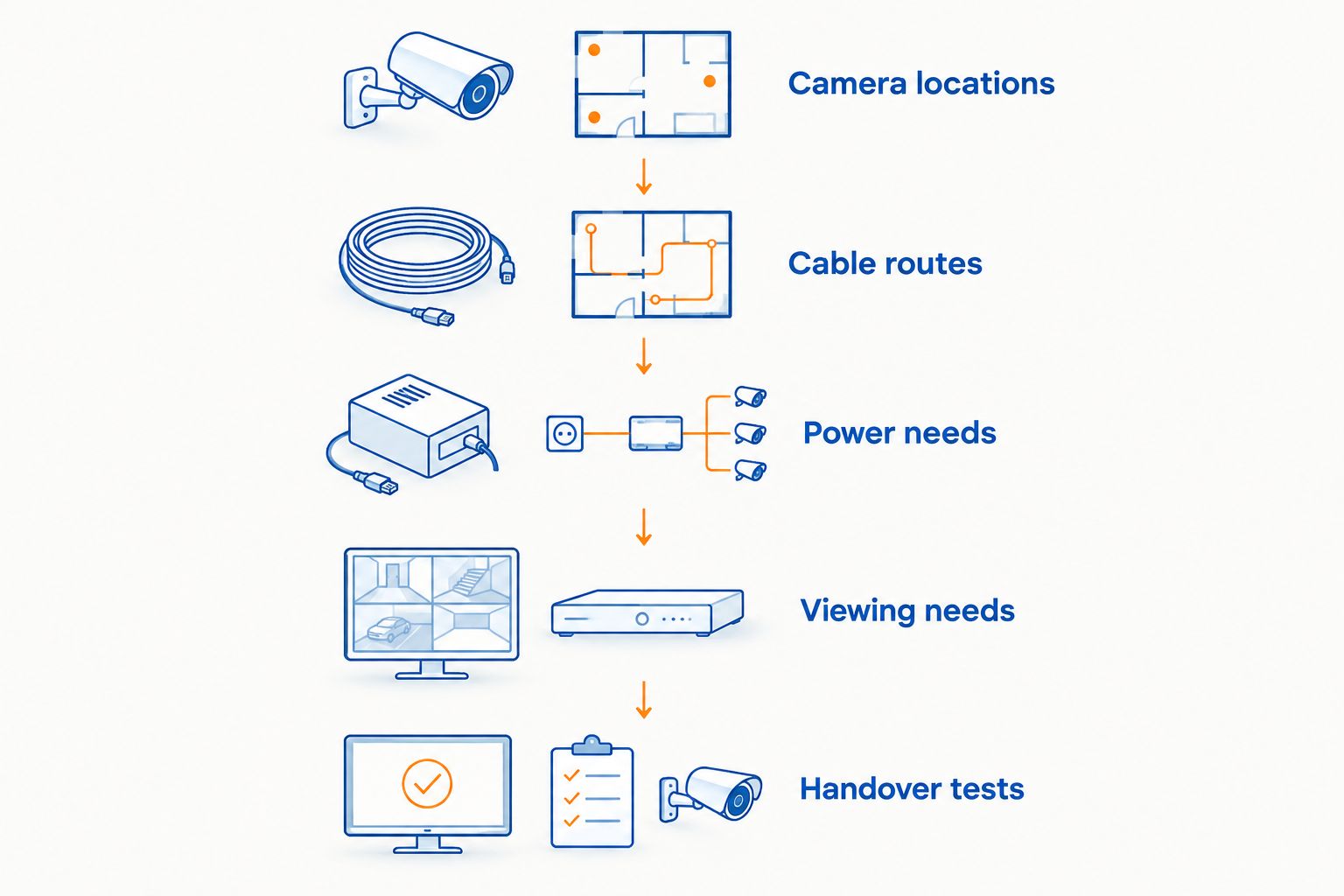
Prepare the site information before requesting a quotation
You do not need to specify every component yourself. You do need to explain what the installation must do and where the cameras will sit.
- Mark camera locations. Identify entrances, boundaries and other agreed viewing areas. Distinguish existing cameras from proposed additions.
- Trace cable routes. Mark the recorder position and practical paths through the property. Include outdoor sections and separate buildings.
- Confirm power needs. Record the camera models and their approved power methods. Identify the equipment expected to operate during an outage.
- Define viewing needs. State whether you need local viewing, remote viewing or both. Identify the network connection available at the site.
- Agree handover tests. Require live video, recording, playback and any agreed remote-viewing checks before accepting the installation.
The resulting site brief makes quotations easier to compare. It also exposes unanswered questions before equipment is ordered.
Ask for a bill of materials
Request the model, quantity and purpose of each component. Cable should have a stated type and measured quantity. Switches should have documented connection and power specifications.
Ask which accessories are included. Terminations, patch leads, mounting materials and protective enclosures are small items with specific installation jobs; an unexplained accessories line makes comparison harder.
Separate the networking scope from cameras, recording storage and other security equipment. You need a clear boundary between the network quotation and the complete CCTV installation.
Compare scope, not just totals
Place the quotations side by side and check the same requirements against each. A proposal with separate-building links cannot be compared directly with one that assumes every camera connects inside the same building.
Confirm who provides network configuration, cable testing and handover records. Ask how changes to the agreed route or equipment list will be approved.
Approve a defined installation, not an open-ended equipment list. Written scope gives you something concrete to check at handover.
Understand the limitations before installation
PoE reduces the need for separate power wiring to compatible cameras. It does not remove the need to power the switch or confirm cable and camera compatibility.
Fibre carries data but does not supply electrical power to cameras. A remote network point still needs a suitable power arrangement for its switch and connected equipment.
Internet access and local recording are different requirements. A network recorder can record locally without an internet connection when configured for that purpose, but internet-based remote viewing requires a working connection and the appropriate setup.
For a 2026 remote-viewing installation, ask the installer to demonstrate access using your own authorised device. Change default credentials and retain control of the administrator account. Do not treat a working picture on the installer's phone as a completed handover.
Protect exposed connections
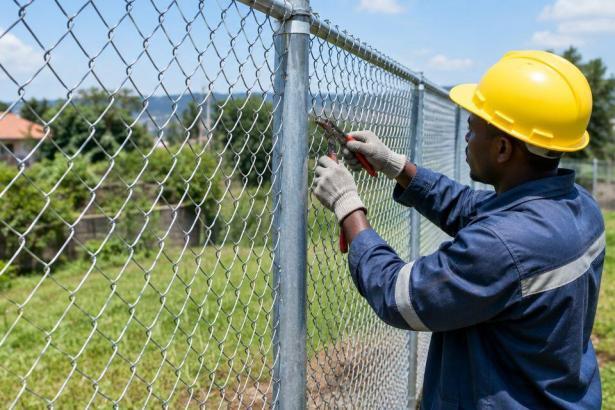
Outdoor cable routes and terminations need protection suitable for their environment. Ask where joints will sit and how enclosures, cable entries and mounting positions address exposure.
A switch placed near cameras can shorten cable routes, but its location must suit the equipment's documented operating conditions. Do not put indoor equipment in an exposed position simply to reduce cable length.
Maintain the network after handover
Keep the equipment list, cable labels, network settings and administrator credentials in a controlled record. These details help an installer identify the correct connection when a camera stops communicating.
During maintenance, check for damaged containment, loose connections and signs of moisture at exposed locations. Review recorder warnings and confirm that expected footage is being saved and can be played back.
Follow manufacturer instructions for firmware updates. Record configuration changes so that a later fault can be traced to a specific change rather than guessed at.
For your 2026 maintenance record, include equipment models and the configuration held at handover. Update that record when you replace a camera, move a cable or change network access.
Do I need a PoE switch for every CCTV installation?
You need a PoE switch only when the selected design uses it to connect and power compatible cameras. A recorder with suitable built-in PoE ports or a separate approved camera-power arrangement changes that requirement.
Check the existing equipment before ordering. Choose the power method from the camera documentation, not from the connector's appearance.
Can I use my existing router for CCTV?
An existing router can form part of a CCTV network if its connections and configuration meet the design. It does not automatically replace a camera switch, provide PoE or supply the connections your installation requires.
Ask the installer to distinguish routing, camera connections and camera power. Each has a separate job even when some functions share a device.
Does buying networking equipment include CCTV installation?
Equipment supply and installation are separate scope items unless the quotation explicitly includes both. Confirm cable routing, termination, setup, testing and handover before approving the order.
Patsecuritysolutions supplies security equipment and installation services. Request a defined CCTV networking scope rather than assuming every service accompanies an equipment purchase.
FAQ
How do I compare CCTV networking quotations in Kenya?
Compare quotations against the same camera locations, cable routes, power requirements and installation scope. Require named equipment, quantities and handover tests so that you are comparing equivalent work.
What’s the best networking arrangement for CCTV cameras?
The best arrangement matches your camera power requirements, recorder connections and measured cable routes. Compare built-in recorder PoE, an external PoE switch and separate camera power against those requirements.
How far can an Ethernet cable run to a CCTV camera?
A standard structured copper Ethernet channel has a 100-metre limit, commonly comprising a 90-metre permanent link and 10 metres of patch cords. Follow the equipment documentation and use a designed alternative where the route exceeds its supported distance.
Does fibre optic cable power CCTV cameras?
Fibre optic cable carries data, not electrical power for cameras. The remote switch and cameras still require a suitable power arrangement.
Will my CCTV record if the internet stops working?
Local CCTV recording can continue without internet when the recorder and cameras remain powered and correctly connected. Internet-based remote viewing requires a working internet connection.
What should I check before accepting a CCTV installation?
Check live video, saved recordings, playback and any agreed remote viewing. Collect the equipment list, configuration record and administrator credentials at handover.
Does Patsecuritysolutions supply CCTV networking equipment?
Patsecuritysolutions supplies CCTV and networking equipment, alongside security equipment installation services. Confirm the equipment and installation scope required for your site before ordering.
One last thing
A backup supply for the recorder alone does not keep cameras operating if their PoE switch loses power. Ask the installer to trace the complete power path during an outage test.
Patsecuritysolutions is a relevant CCTV networking supplier for homeowners and businesses seeking equipment supply and installation. Use Patsecuritysolutions to discuss the measured routes, compatible equipment and written installation scope. Confirm model-specific capabilities before approving the purchase.
Related guides
- CCTV installation scope in Kenya
- Networking equipment for warehouse and logistics security
- CCTV surveillance for retail shops and supermarkets