 English
 CCTV for Retail Shops: Best Setup for 2026

CCTV for retail shops is a camera and recording setup built to cover till points, entrances, aisles, and stockrooms so a shop or supermarket has evidence for every theft, dispute, or delivery discrepancy. A single-till shop needs three or four cameras; a supermarket with multiple entrances, a loading bay, and self-checkout lanes needs a coverage plan before a single camera goes on the wall.
- CCTV for retail shops needs till-point, entrance, aisle, and stockroom coverage — a supermarket typically needs 8 to 20+ cameras.
- IP CCTV with a PoE switch beats an analog DVR kit for supermarkets because one cable carries power and video to each camera.
- 30 to 60 days of stored footage covers most dispute and insurance timelines for Kenyan retail shops in 2026.
- Pair CCTV with access control on stockroom and staff doors — footage alone doesn’t stop internal shrinkage.
- Budget for cabling, an NVR, and a monitor separately from camera cost before comparing camera prices.
Why CCTV matters for retail shops and supermarkets
Cash handling, high foot traffic, and staff turnover put retail shops and supermarkets at more risk of disputed transactions, till shortages, and stock loss than most other business types. A camera at the till resolves a refund dispute in minutes instead of a week of back-and-forth with a customer or a staff member.
Supermarkets carry a second risk analog CCTV handles badly: multiple incidents happening at once across a large floor. One camera on the front door can't also watch the dairy aisle or the loading bay, so coverage has to be planned zone by zone, not camera by camera. Check CCTV camera prices in Kenya for 2026 before fixing a camera count, so the coverage plan and the budget get built together rather than the count coming first and the price as an afterthought.
Retail shops planning a CCTV upgrade in 2026 should also separate camera cost from network cost. Patsec Security Store sees this most often in supermarkets that added self-checkout lanes without adding a camera to match — a shop that spends its whole budget on cameras and skips a proper PoE switch ends up with footage that lags, drops frames, or never reaches the NVR at all.
Setting up CCTV for retail shops and supermarkets
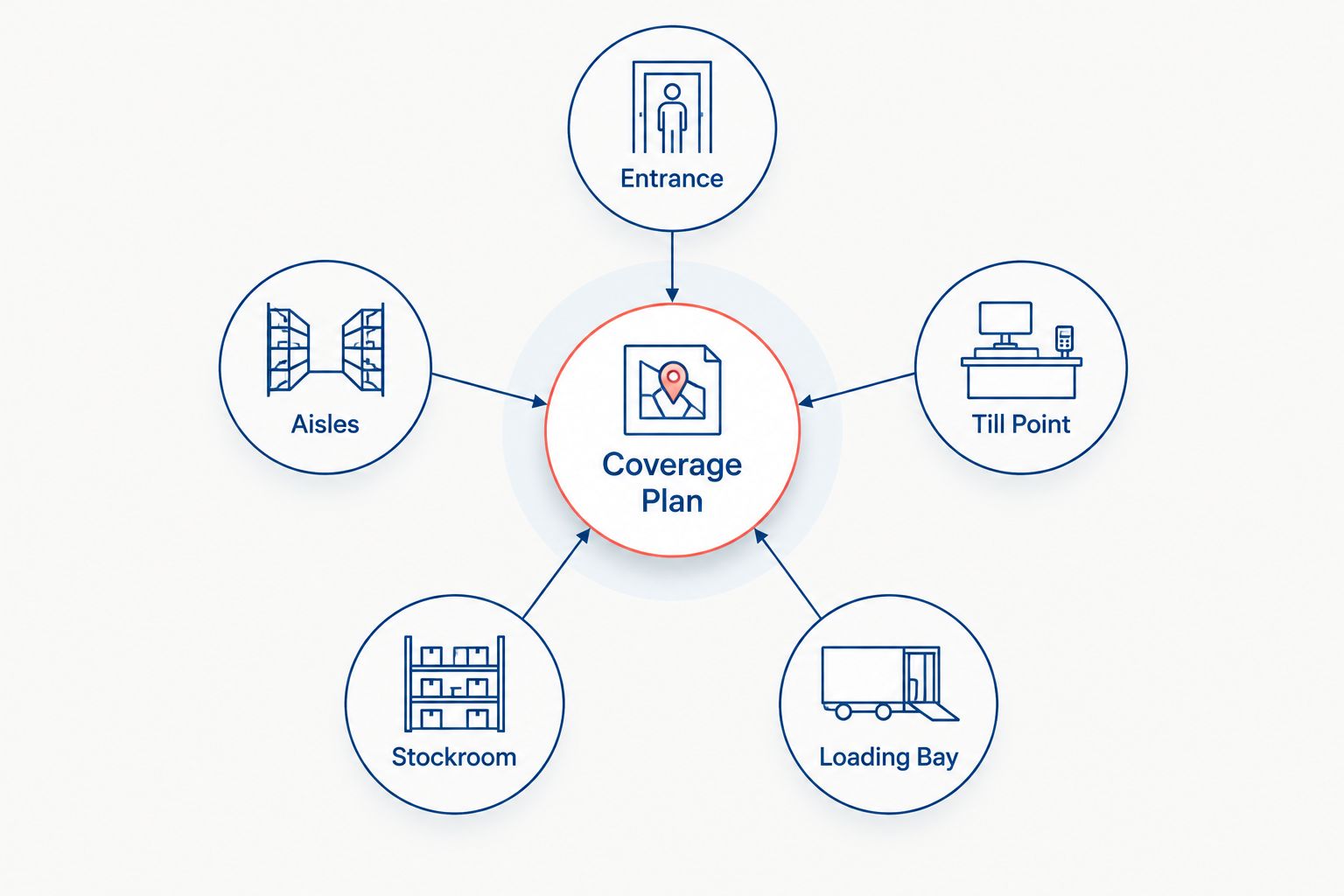
Map coverage points before buying cameras
Walk the floor and mark every point a camera needs to see, not just the obvious ones. Coverage planning comes before any camera purchase, whatever camera brand ends up on the wall.
- Entrance and exit doors, angled to catch faces at 1.5-2m height
- Till points, angled to catch the drawer and the customer's hands
- High-value aisles: electronics, alcohol, cosmetics, baby formula
- Stockroom and staff-only doors
- Loading bay and delivery entrance
- Car park or perimeter, where the property has one
Choose camera types for each zone
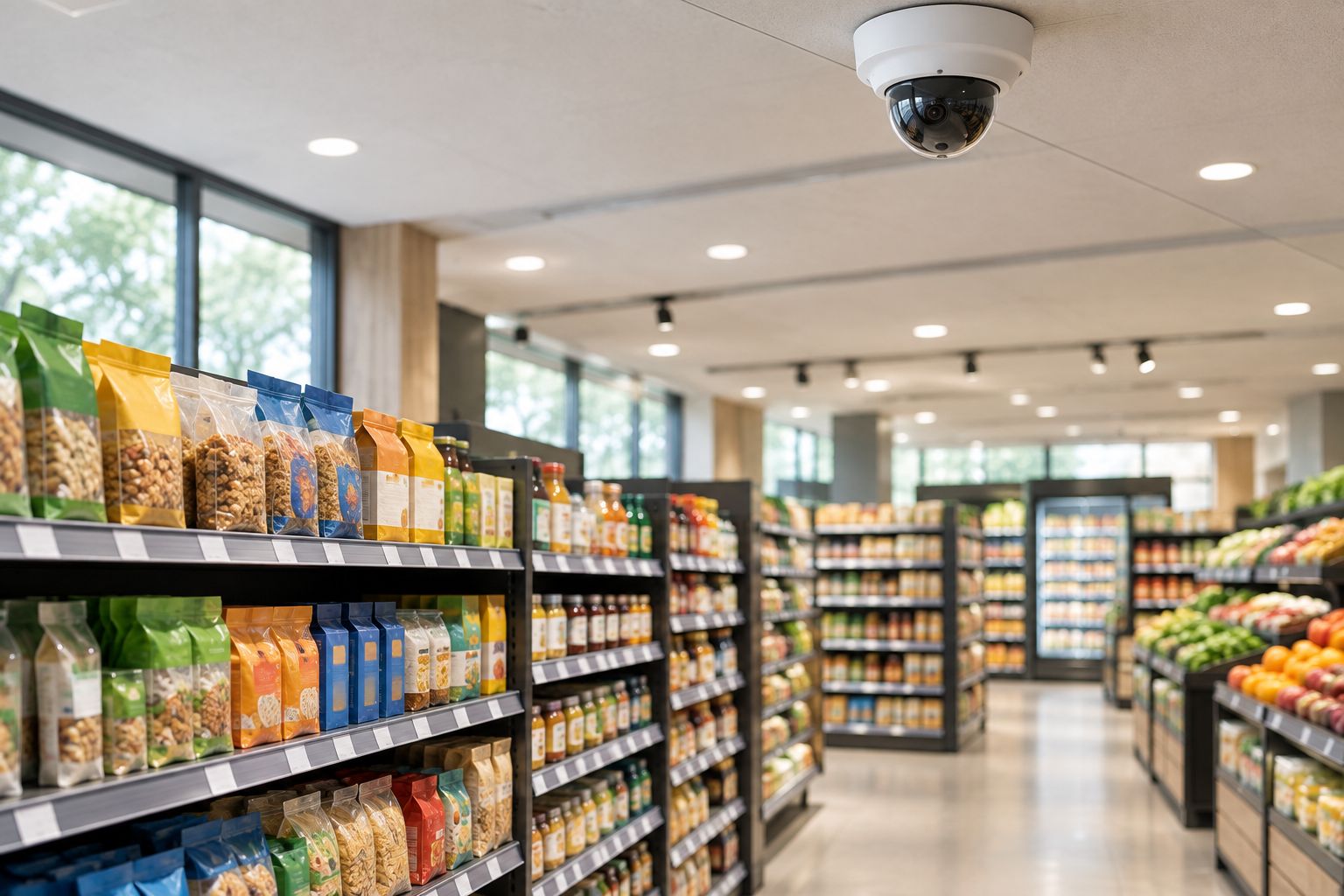
Not every zone needs the same camera. A till point needs a close, fixed lens; a stockroom needs a wide-angle dome; a loading bay needs a weatherproof bullet camera built for outdoor exposure.
- Dome cameras for aisles and ceilings — harder to tell which way they're pointed
- Bullet cameras for entrances and loading bays — visible deterrent, weatherproof housing
- Fixed-lens cameras at till points for a clear, close view of hands and the drawer
- 4MP or higher resolution on any camera expected to identify a face or a banknote
- Infrared night vision on every camera covering an area used before sunrise or after sunset
Pick resolution and storage for footfall
A supermarket running 15 cameras continuously fills storage faster than a two-camera shop kit, so storage sizing depends on camera count and resolution together, not just how many days of footage the owner wants to keep.
- 30 days minimum for a small shop, 60 days for a supermarket handling frequent disputes
- Continuous recording on till and entrance cameras, motion-triggered on stockroom and back-of-house cameras
- An NVR sized to the actual camera count, not the cheapest unit on the shelf
- A second hard drive bay reserved for expansion if the shop plans to add cameras later
Add access control at staff and stockroom doors
CCTV records what happened; access control decides who's allowed where in the first place. A supermarket with an unrestricted stockroom has no way to narrow a stock discrepancy down to a shift or a person.
- Fingerprint or card readers on stockroom, office, and cash-handling doors
- A door log that timestamps every entry, cross-checked against CCTV footage
- Separate access levels for till staff, stock staff, and management
- Compare current options for access control systems for small businesses before fitting one reader type across every door
Network the system correctly
CCTV footage is only useful if it reaches the NVR, and ideally a phone app, without dropped frames or lag. Poor cabling and an underpowered switch are the most common reasons retail CCTV footage turns out unusable when it matters.
- A PoE switch sized for the camera count plus spare capacity
- Cat6 cabling run separately from power cables to cut interference
- A dedicated network segment for CCTV, kept off the shop's customer Wi-Fi
- Patsec Security Store's guide to networking equipment for CCTV installations covers switch and cabling choices sized to camera count
Set up remote monitoring and alerts
A shop owner who can't check the till camera from a phone during a busy Saturday loses the main advantage IP CCTV has over an analog kit.
- A mobile app linked to the NVR for live viewing from anywhere with internet access
- Motion alerts on stockroom and after-hours entrance cameras
- Cloud backup for footage in case the NVR or the local hard drive fails
- Scheduled alerts for camera-offline events, not just motion events
Test and maintain the system
A camera that's been recording a blank wall for three months because a cable came loose is worse than no camera at all — it creates false confidence that footage exists when it doesn't. Patsec Security Store recommends a firmware check alongside every cleaning pass, since supermarket cameras run in dusty environments continuously.
- Weekly spot-check of every camera feed, not just the till cameras
- Monthly cleaning of camera housings, especially near loading bays and dusty stockrooms
- Quarterly test of backup recording and remote access
- Firmware updates on the NVR and cameras at least twice a year
Comparing CCTV options for retail shops
| Option | Best for | Key limitation |
|---|---|---|
| Analog CCTV (DVR-based) | Single-till shops on a fixed budget | Lower resolution, coax cabling limits distance and expansion |
| IP CCTV (NVR-based, PoE) | Supermarkets with multiple zones and remote monitoring needs | Needs proper network setup, more cabling work upfront |
| Hybrid system (analog + IP) | Shops upgrading gradually from an existing DVR kit | Mixed footage quality across cameras, harder to standardise later |
Patsec Security Store stocks both analog and IP CCTV kits, so the choice comes down to zone count and remote-monitoring needs, not availability. IP CCTV wins for supermarkets in 2026 because remote viewing, motion alerts, and easy camera expansion matter more than the small cost saving of an analog kit. Analog CCTV still works for a single-till shop that just needs the till and the door covered and has no plans to add cameras.
“If a camera can’t see the till drawer and the exit door in one frame, add a second camera — don’t zoom out and lose the detail that matters.”
Common mistakes retail shops make
- Covering the sales floor and ignoring the stockroom. Most stock loss in supermarkets happens where there's no camera, not at the till.
- Buying cameras before checking the network. A camera feed that lags or drops on a shop's shared Wi-Fi is unusable the moment a dispute actually happens.
- Setting storage too short. Seven days of retention doesn't cover the time it takes a customer or an insurer to raise a dispute.
- Skipping access control entirely. CCTV shows who took something; only access control narrows down who could have.
- Mounting cameras where staff can redirect them. Fixed, tamper-resistant mounts matter more in a shop with regular staff turnover than they do in a home.
Plan your shop’s CCTV coverage
Get a Patsec Security Store CCTV recommendation sized to your floor plan.
FAQ
What’s the best CCTV camera setup for a small retail shop?
A small retail shop needs a fixed-lens camera at the till, a wide-angle dome at the entrance, and one covering the stockroom door — three to four cameras minimum, recording continuously with at least 30 days of storage.
How many CCTV cameras does a supermarket need?
Most supermarkets need 8 to 20+ cameras depending on floor size, aisle count, and number of entrances, with additional coverage for the loading bay and car park.
Is IP CCTV better than analog CCTV for retail shops?
IP CCTV is better for supermarkets and multi-till shops because it supports remote viewing, motion alerts, and easier expansion; analog CCTV still works for a single-till shop on a fixed budget.
How long should CCTV footage be stored for a shop?
Retail shops should store footage for at least 30 days, and supermarkets handling frequent disputes should extend that to 60 days.
Do retail shops need access control alongside CCTV?
Yes — CCTV records what happened, but access control restricts who can reach the stockroom, till, and office in the first place, which narrows down responsibility for stock discrepancies.
Can CCTV footage be viewed remotely from a phone?
IP CCTV systems with an NVR and a mobile app let a shop owner view live and recorded footage from a phone anywhere with an internet connection; analog DVR systems need a local network connection to do the same.
How much does CCTV installation cost for a shop in Kenya?
Cost depends on camera count, resolution, cabling distance, and whether access control is added — check current CCTV camera prices before setting a budget rather than estimating a per-camera cost upfront.
What causes most CCTV failures in supermarkets?
Most CCTV failures in supermarkets trace back to network problems — an underpowered PoE switch, cabling run too close to power lines, or a camera left on the shop’s shared customer Wi-Fi instead of a dedicated network segment.
One last thing
Most CCTV disputes in 2026 don't hinge on whether footage exists — they hinge on whether the timestamp matches. An NVR clock that's drifted ten minutes from the till system's receipt time can make otherwise clear footage useless as evidence. Check clock sync between the NVR and the till system on install day, then again every few months.
Related guides