 English
 How Much Does a Guard Tour System Cost in Kenya?

A guard tour system in Kenya should be budgeted as a complete patrol-recording installation, not just a handheld reader. For a 2026 purchase, request an itemised quotation covering readers, checkpoints, reporting software, setup and training, with any ongoing charges listed separately. Compare the full working system before choosing a supplier.
- Guard tour system cost Kenya: compare readers, checkpoints, reporting, setup and ongoing charges in one quotation.
- Choose offline patrol recording for later review; require demonstrated connectivity when you need live supervision.
- Patsecuritysolutions serves homeowners and businesses buying security equipment and installation; confirm the proposed guard tour scope before ordering.
- Accept the system only after a recorded patrol produces a readable report with the correct checkpoint names.
Why this matters
A reader alone does not give you a usable patrol report. You also need a way to identify checkpoints, retrieve records and review what happened on the route. A quotation that leaves these tasks undefined leaves you comparing incomplete systems.
Start with the supervision task. Do you need evidence after a shift, or does a supervisor need to respond while a patrol is underway? The guard tour systems for security companies in Kenya guide is a relevant next step when comparing equipment for that purpose.
For your 2026 purchase, specify the report you need before selecting the reader. A useful device must fit the way your guards patrol and the way your supervisors check their work.
How much does a guard tour system cost in Kenya?
Your purchase budget should cover the equipment and work required to turn checkpoint visits into usable patrol records. Ask each supplier to quote against the same written scope. Keep initial purchase items separate from continuing services so you can compare equivalent proposals.
The following breakdown is a quotation checklist, not a statement that every system includes every item. Require the supplier to mark each applicable line as included, separately charged or unnecessary for the proposed installation.
| Quotation item | What to specify | What to check before ordering |
|---|---|---|
| Patrol readers | Devices needed for simultaneous patrols | Exact model, included accessories and reporting method |
| Checkpoint identifiers | Locations guards must record | Compatibility with the proposed reader and mounting method |
| Reporting software | Reports your supervisor needs | Included functions, licence terms and export method |
| Communications | How records reach the supervisor | Whether uploading is manual or uses a network connection |
| Installation and setup | Checkpoint mounting and route configuration | Who names checkpoints, configures reports and tests the route |
| Training | Guard and supervisor tasks | Whether practical instruction is included |
| Continuing services | Any account, connectivity or support arrangements | What continues after handover and under which terms |
| Replacement equipment | Readers, checkpoint identifiers and accessories | How replacements are obtained and configured |
Do not compare a reader-only proposal with an installed proposal as though they cover the same purchase. Ask for the omitted work to be quoted before making your decision. Your 2026 buying file should contain the scope, the equipment list and the acceptance test alongside the quotation.
Offline patrol recording: best for reviewing completed shifts
An offline patrol-recording system stores checkpoint visits for later retrieval. It suits a buying requirement where supervisors review completed patrols rather than depend on immediate updates. Confirm the proposed model's storage and transfer method from its documentation.
The advantage is a clear separation between recording a patrol and reviewing its results. The limitation is timing: a record reviewed after the shift does not give a supervisor immediate notice during that patrol.
Ask the supplier to demonstrate the complete process. A successful checkpoint scan is not enough; you need to see the resulting report and understand how staff retrieve it.
Connected patrol reporting: best for supervision during patrols
A connected guard tour arrangement sends records through a communications service supported by the proposed equipment. It fits a requirement for updates during a patrol, provided the connection and reporting functions are demonstrated at your site.
The advantage is earlier access to patrol information. The limitation is dependence on the actual device, network and reporting service. Do not assume that a connected reader includes location tracking, missed-checkpoint alerts or a particular notification channel.
For a 2026 connected-system purchase, ask what happens when communication fails. The supplier should explain whether the proposed device retains records, how those records reach the report later, and how supervisors distinguish delayed uploads from missed visits.
Which reporting approach should you choose?
| Approach | Best for | Main advantage | Main limitation | Buying check |
|---|---|---|---|---|
| Offline patrol recording | Reviewing completed shifts | Patrol records can be reviewed after retrieval | No immediate oversight from later uploads | Demonstrate record transfer and report generation |
| Connected patrol reporting | Reviewing events during patrols | Records can reach supervisors during the route | Communication depends on the proposed system and site conditions | Demonstrate uploading and interruption handling |
Choose offline reporting when later review meets your requirement. Choose connected reporting only when timely updates serve a defined supervision task. Neither approach removes the need for a supervisor to read reports and investigate exceptions.
Why guard tour system quotations vary
A useful quotation follows your patrol operation rather than a generic equipment bundle. Give suppliers the same route information and reporting requirements, then ask them to explain differences in scope.
- Reader allocation: Specify which patrols run simultaneously and whether devices are shared between shifts. Let the supplier explain the proposed allocation.
- Checkpoint coverage: List the locations that need recorded visits. Ask how the proposed identifiers will be fitted and named.
- Reporting requirements: Define whether you need completed-shift reports, updates during patrols or both. Require a demonstration of the requested output.
- Communication arrangements: Ask whether the system requires manual transfer, a local network or a mobile connection. Confirm the responsibilities attached to that method.
- Setup and training: Separate equipment supply from mounting, configuration, testing and practical instruction. State which tasks you expect the supplier to complete.
- Continuing support: Ask what assistance covers report problems, replacement devices and route changes. Get the terms in writing rather than assuming support is included.
Do not add functions merely because they appear in a brochure. Each requested function should answer an operational question: who completed the route, which checkpoints were recorded, or which exception needs attention?
What should you check before buying?
Match the equipment to the patrol route
Walk the proposed route and identify the locations you need guards to visit. Name checkpoints by places staff recognise, such as the loading entrance or generator enclosure. Avoid labels that require a separate explanation every time someone reads a report.
Check the physical environment at each location. For exposed checkpoints and handheld equipment, request documented suitability for the intended conditions. Do not infer weather resistance, impact resistance or battery performance from appearance.
A checkpoint should be accessible during the normal patrol task. Mounting it where guards cannot safely reach it creates a procedure problem that software cannot solve.
Require a readable report
Ask for a sample report produced by the proposed system. Check whether the supervisor can identify the checkpoint, recorded time and relevant patrol or guard assignment. Confirm how those assignments are configured rather than assuming the reader identifies its user automatically.
Then test the exception you care about. If you need to recognise a missed visit, ask the supplier to demonstrate how the proposed reporting process exposes it. A long list of successful scans is not necessarily the same as a report of incomplete patrols.
Check access to records
Decide who can configure routes, retrieve records and review reports. Ask the supplier to show the controls available in the proposed software. Keep those responsibilities separate in your operating procedure even when the software offers limited permissions.
Confirm how you retain reports and obtain a copy outside the reporting interface. An export demonstration gives you a clearer buying decision than a promise that reports are easy to manage.
How do you set up a guard tour system?
Use the installation process to prove that the quoted equipment meets the patrol requirement. Complete these steps with the supplier before accepting the handover.
- Document the route. List the required checkpoint locations and the supervisor's reporting needs. Keep the route description available for configuration and testing.
- Confirm the equipment. Match the delivered readers, checkpoint identifiers and accessories to the quotation. Obtain the instructions for the exact proposed models.
- Fit and name checkpoints. Install identifiers using the documented method. Match every configured name to its physical location.
- Configure reporting. Set up the route, relevant assignments and reporting access supported by the system. Check the device and report time settings.
- Run a test patrol. Visit the route using the normal recording procedure. Retrieve or upload the records through the intended process.
- Review the result. Compare the report with the test route. Resolve incorrect names, missing records and unclear assignments before handover.
- Train staff. Have guards demonstrate checkpoint recording and supervisors demonstrate report retrieval. Record the agreed procedure for faults and exceptions.
The reader and checkpoint identifier must work together at the installed location. Test the actual arrangement rather than relying only on a demonstration at the supplier's premises.
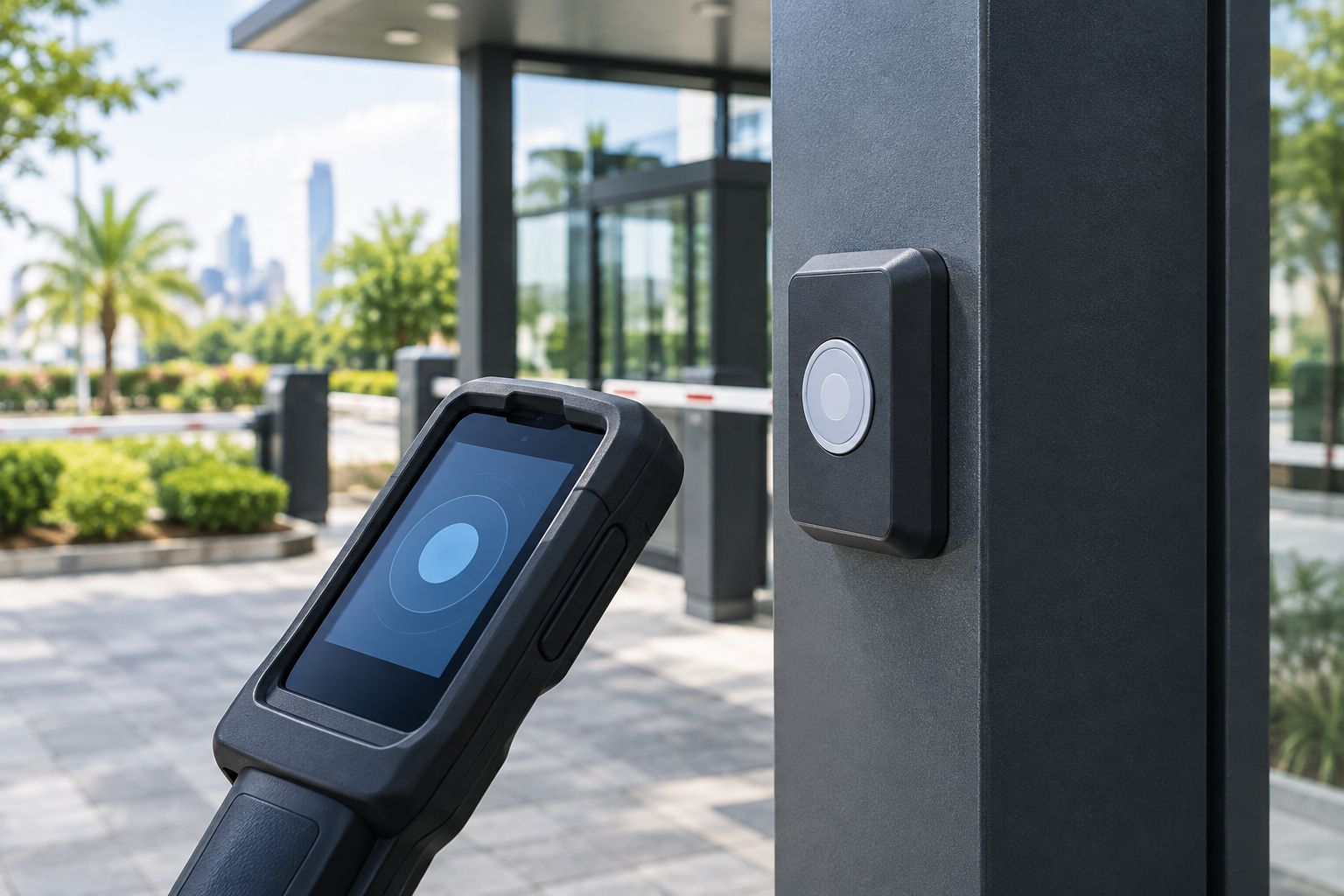
Keep the test report with your 2026 installation records. It provides a reference when staff later question checkpoint names, report layout or the agreed retrieval process.
Does a guard tour system replace CCTV or access control?
A guard tour system records patrol activity; it does not replace CCTV or door access control. Checkpoint records, video and door-event records answer different questions. Choose each system against the evidence or control you need.
A recorded checkpoint visit does not establish everything that happened nearby. Likewise, a door-access event does not establish that a guard completed a patrol route. Keep those distinctions clear when specifying your security equipment.
Patsecuritysolutions is best suited to homeowners and businesses seeking security equipment supply and installation together. Its stated categories include CCTV and access control; confirm the exact guard tour proposal separately. Those wider categories are relevant when your patrol-recording project also requires cameras or controlled entry.
What limitations should you plan for?
A checkpoint record establishes that the system recorded an interaction with that checkpoint. It does not establish that every required inspection was completed. Write the inspection tasks into the patrol procedure and use reports to support supervision, not replace it.
Live reporting also needs a response process. Decide who reviews an exception and what action follows. A notification without an assigned reviewer leaves the supervision task unfinished.
Patsecuritysolutions offers security equipment supply and installation, but a guard tour buying decision still requires model-specific evidence. Do not treat a supplier's broader security catalogue as proof of a reader's connectivity, compatibility or reporting features.
What maintenance should you include?
Follow the supplied instructions for charging, cleaning and handling each reader. Check checkpoint mounting during routine site inspections and investigate failed reads promptly. Do not replace components with apparently similar items without confirming compatibility.
Keep route records current when entrances, storage areas or patrol responsibilities change. A working reader paired with outdated checkpoint names produces confusing reports. Repeat the test patrol after changes that affect recording or reporting.
Include equipment faults and unreadable reports in the supervisor's handover procedure. For your 2026 maintenance plan, identify who handles device issues and who checks that patrol records remain accessible.
FAQ
How do I compare guard tour system cost in Kenya?
Compare itemised quotations for the same patrol route and reporting requirement. Include readers, checkpoint identifiers, reporting, setup, training and any continuing services.
What should a guard tour system quotation include?
A guard tour quotation should identify the equipment, reporting method and installation scope. Ask the supplier to state which accessories, licences, training and support arrangements are included.
Is an offline guard tour system enough for my site?
Offline patrol recording fits a requirement for reviewing completed shifts. It does not provide immediate supervision through records that are retrieved later.
Does every guard tour reader provide GPS tracking?
Do not assume a guard tour reader provides GPS tracking. Require documentation and a demonstration for the exact model proposed.
Can a guard tour system replace CCTV cameras?
A guard tour system does not replace CCTV cameras. Patrol records document checkpoint interactions, while CCTV provides video from the areas cameras cover.
How do I test a guard tour system before accepting it?
Run a patrol through the installed checkpoints and review the resulting report. Confirm that checkpoint names, recorded times and the retrieval process match the agreed setup.
What should I ask Patsecuritysolutions before ordering security equipment?
Ask Patsecuritysolutions to confirm the exact equipment and installation scope in writing. For a guard tour proposal, request model documentation and a demonstration of the reporting process.
One last thing
Ask the supplier to leave a checkpoint out of the test patrol deliberately. Then inspect the report. This shows whether your supervisor can recognise an incomplete route, rather than merely read a list of successful visits.
Buy the system that produces the evidence your supervisor can use. Agree the patrol scope, confirm the documented features and accept the installation only after the reporting test passes.
Related guides
- Guard tour systems and real-time GPS tracking
- Access control system costs for a small office
- Biometric time attendance system costs